







FairSign 教員・企業管理者ラウンジへようこそ。当ラウンジは架空の名前や作られた投稿を一切排し、実際の学校教員、教務担当者、セミナー主催者、企業人事管理者のみをお迎えしています。ゲストの方は公式フォーマット案内や開発ロードマップを閲覧モードでご覧いただけます。有料プラン会員の方はGoogleフォームのサイドバーから認証して投稿やテンプレート相談を行えます。
相手がフォームを送信すると、その人のPDFがメールで届きます。
証明書、領収書、確認書をGoogle ドキュメントで一度作っておけば、FairSignが一人ひとりの回答を差し込み、お客様ご自身のGmailからPDFをメールで送ります。
- 毎月8件まで無料
- Proは年$79
- 回答はお客様のGoogle アカウントの中に
名前を変えてみてください。
30秒で動きを見る
1件のフォーム回答を最初から最後まで追います。回答がGoogle ドキュメントのテンプレートに差し込まれ、ドライブにPDFが作られ、相手の受信トレイに届きます。
今すぐ本物のサンプルPDFを作成
インストールも登録も不要です。下に名前とコース名を入力すると本物のサンプルPDFをすぐダウンロードできます。実際のGoogleフォームでメール受信も試せます。


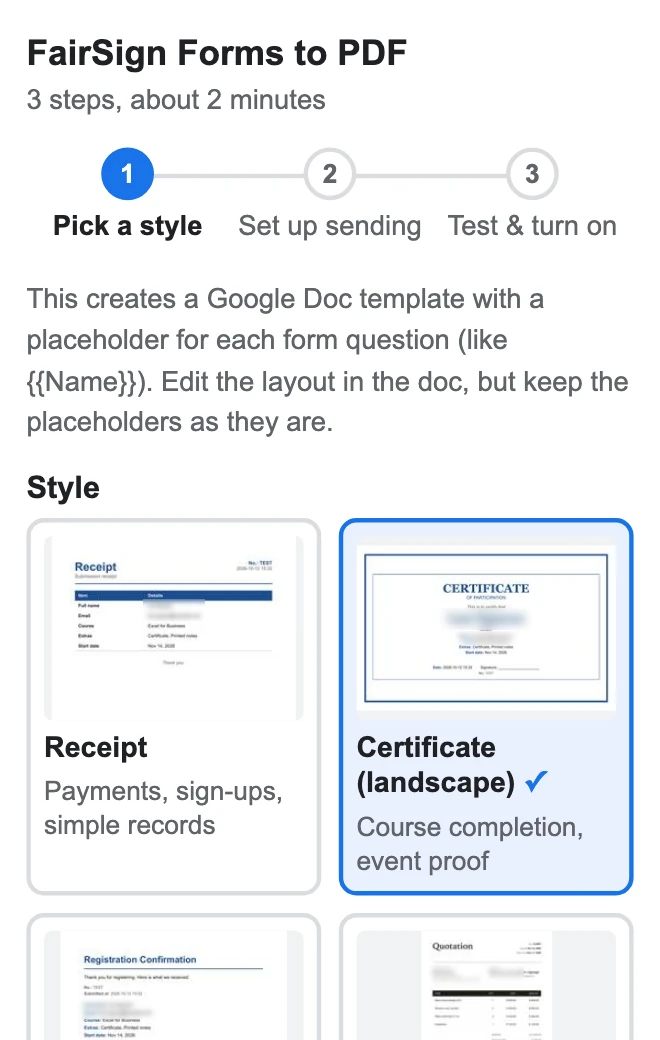
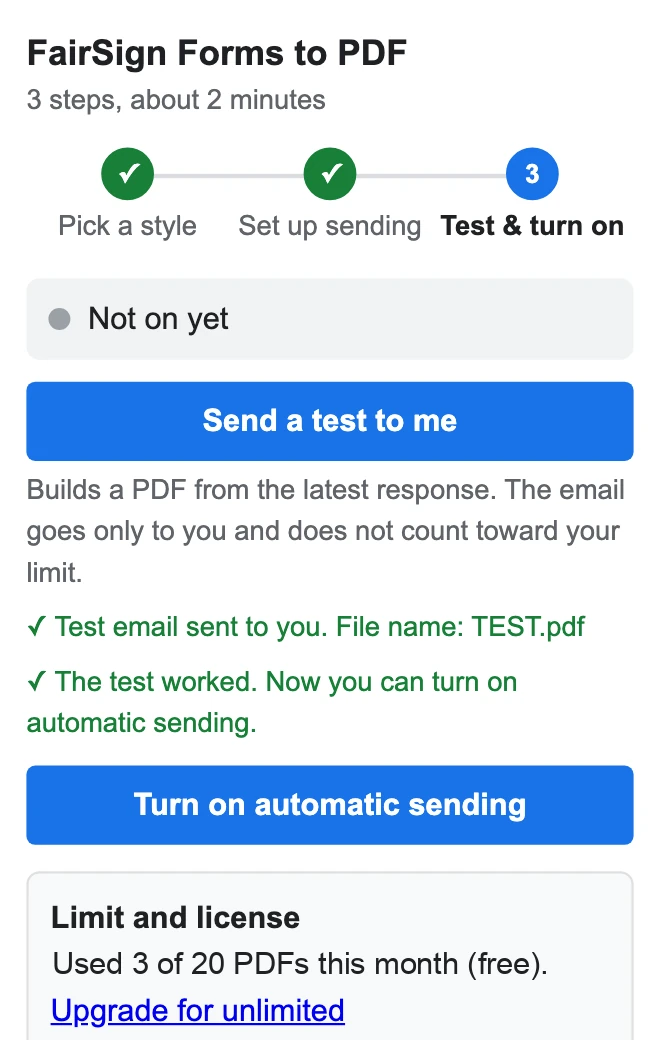
アドオンはGoogleフォーム内のサイドバーとして開きます。FairSignで出力したサンプル画面です。 アドオンの画面は、現在は英語のみです。
書類が、ひとりでに届く。
FairSign Forms to PDFは、Google フォーム用の小さなアドオンです。証明書、領収書、確認書をGoogle ドキュメントで一度作っておけば、フォームが送信されるたびに回答を差し込み、PDFに変換して、お客様ご自身のGmailから相手にメールで送ります。
名前を一つずつ書類に写す作業は何時間もかかり、入力ミスも起きがちです。一度設定すれば書類は自動で送られ、回答はお客様ご自身のGoogle アカウントの中に残ります。
こんにちは、FairSignの案内役のClaraです。フォームの回答がPDFになって相手の受信トレイに届くまでをご案内します。お立ち寄りいただきありがとうございます。
製品をよりわかりやすくご紹介するため、AIで生成した案内役Claraを用意しました。
書類自動発行・QR真贋検証ライブテレメトリー
学校や企業が自身のGoogleアカウント内で電子印章付きPDFを発行し、QRスキャンで真贋確認する仕組みのシミュレーション。
Pick a Clean Google Doc
Choose a ready-made certificate or receipt template, or use your own Google Doc.
Match Form Tags
Type question titles in double braces like {{Name}} and verify with 1 click.
Auto-Send & Save PDF
Each form submission becomes a crisp PDF emailed from your Gmail automatically.
学校・教育機関・企業のために設計された v10 八大機能
修了証書のQR真贋認証シールから入社契約書の多言語振り分け、Googleドライブ自動整理まで、v10の全機能をご覧ください。
Dynamic QR Verification Seal Generator
Stamp every diploma, permit or training credential with a unique verification QR code and serial ID so employers and registrars can confirm authenticity in one scan.
3-Syntax Live Tag Validator
Detects {{Tag}}, <<Tag>> and ${Tag} mismatches before a single email leaves your inbox.
Bulk Sheet Retroactive Re-Issue
Select historical rows in your linked response sheet to regenerate or re-send past certificates in one batch.
Multi-Language Template Router
Automatically picks your English, Spanish, French, German or Japanese Doc layout based on the respondent's language answer.
Smart Subfolder Archiving
Files finished PDFs neatly into department, class or month subfolders inside your own Google Drive.
Password & Flatten Security Lock
Flattens document layers and supports optional recipient-PIN protection on confidential HR or tuition records.
Chrome Quick-Tag & Prefill Helper
Inspect form question tags and generate prefilled links right from the upcoming FairSign Chrome extension.
Equal-Tier Male & Female Executive Skins + Swiss Duotone Icons
Every paid tier lets you switch anytime between Male & Female executive aesthetics: Cold Steel Silver vs Starlight Nacre ($15/mo), Chancellor 24K Gold vs Duchess 18K Rose ($79/yr), and Obsidian Carbon Gold vs Velvet Empress Star-Diamond ($599/yr).
Future Labs · Next in R&D: Smart Auto-Fit Typography & Multi-Approver Chain
In development at FairSign Future Labs: automatic font-scaling for long recipient names, instant Webhook/Zapier triggers, and 2-step dean approval routing.
ROI Calculator & Free Local Suite
Calculate how many hours and dollars FairSign saves your desk
Drag the sliders to match your monthly certificates, receipts or onboarding forms. Below it, use our 4 local browser PDF tools free with zero uploads.
4 Free Browser PDF Tools (100% Local · Zero Uploads)
Catch broken {{tags}}, <<tags>> and Form Publisher tags across Google Docs & Forms before sending.
Open free tool → Local PDF Merge PDF FilesCombine multiple certificates, syllabi or receipts into one ordered PDF inside your tab.
Open free tool → Local PDF Split & Extract PagesPull exact page ranges (1-3, 5) out of any PDF cleanly without uploading a single byte.
Open free tool → Local PDF Watermark, Number & RotateStamp multilingual text watermarks, page numbers and rotation completely offline.
Open free tool →設定は一度だけ、フォームの中で。
書類はGoogle ドキュメントで作ります。あとは新しい回答が届くたびに、手を触れなくても差し込み、PDF化、送信まで行われます。
- フォーム右上のパズルのアイコン(または ⋮ から「アドオン」)
- FairSign Forms to PDF
- 開く
複数のGoogle アカウントにログインしていますか? 1つのアカウントだけにログインしたウィンドウでインストールしてください。

テンプレートを選ぶ
アドオンのメニューからFairSign Forms to PDFを開き、英語、中国語、ベトナム語のスターターテンプレートから選びます。テンプレートはGoogle ドキュメントとして開くので、デザインは自由に変えられます。

質問を対応させる
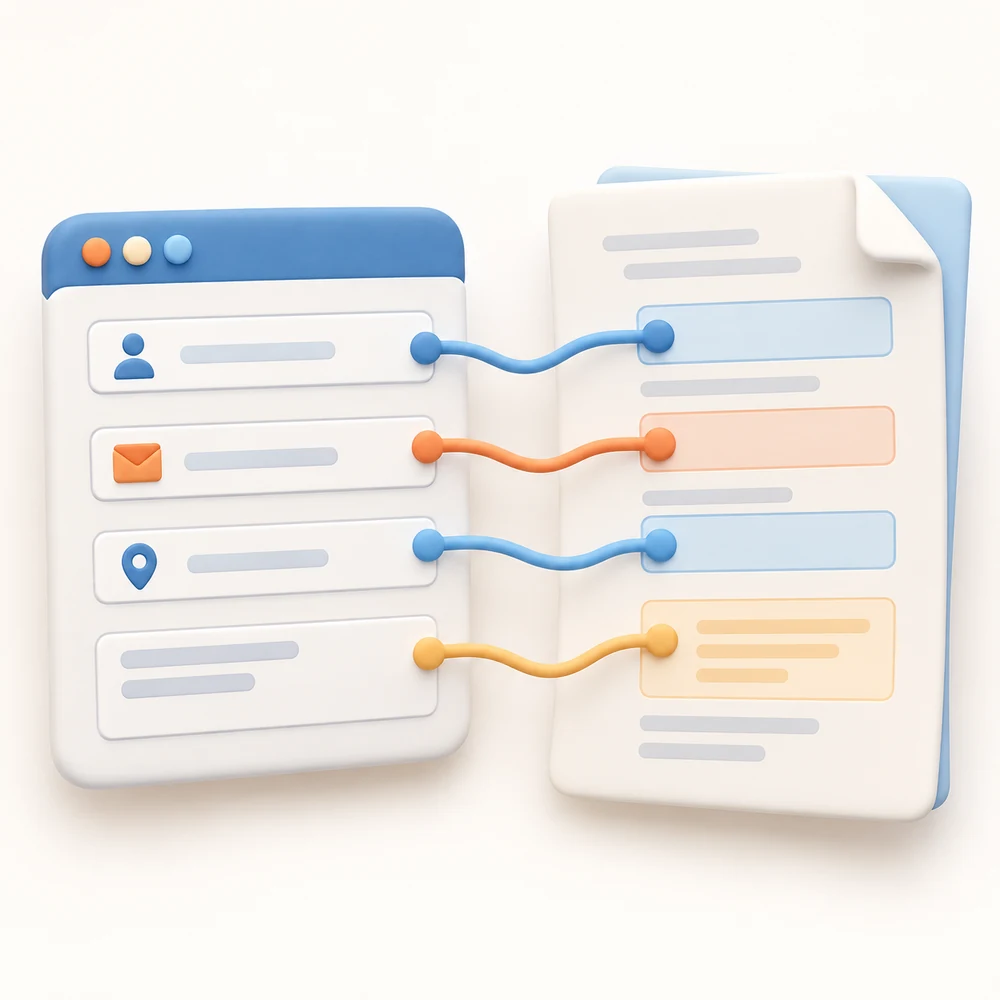
質問のタイトルを{{Name}}のように二重の波かっこで囲んで入力した場所に、回答が入ります。続いて、メールアドレスを尋ねる質問を選びます。

テスト送信してからオンにする
まず最新の回答でテストします。テストのPDFはご自身にだけ届きます。問題なければ自動送信をオンにしてください。
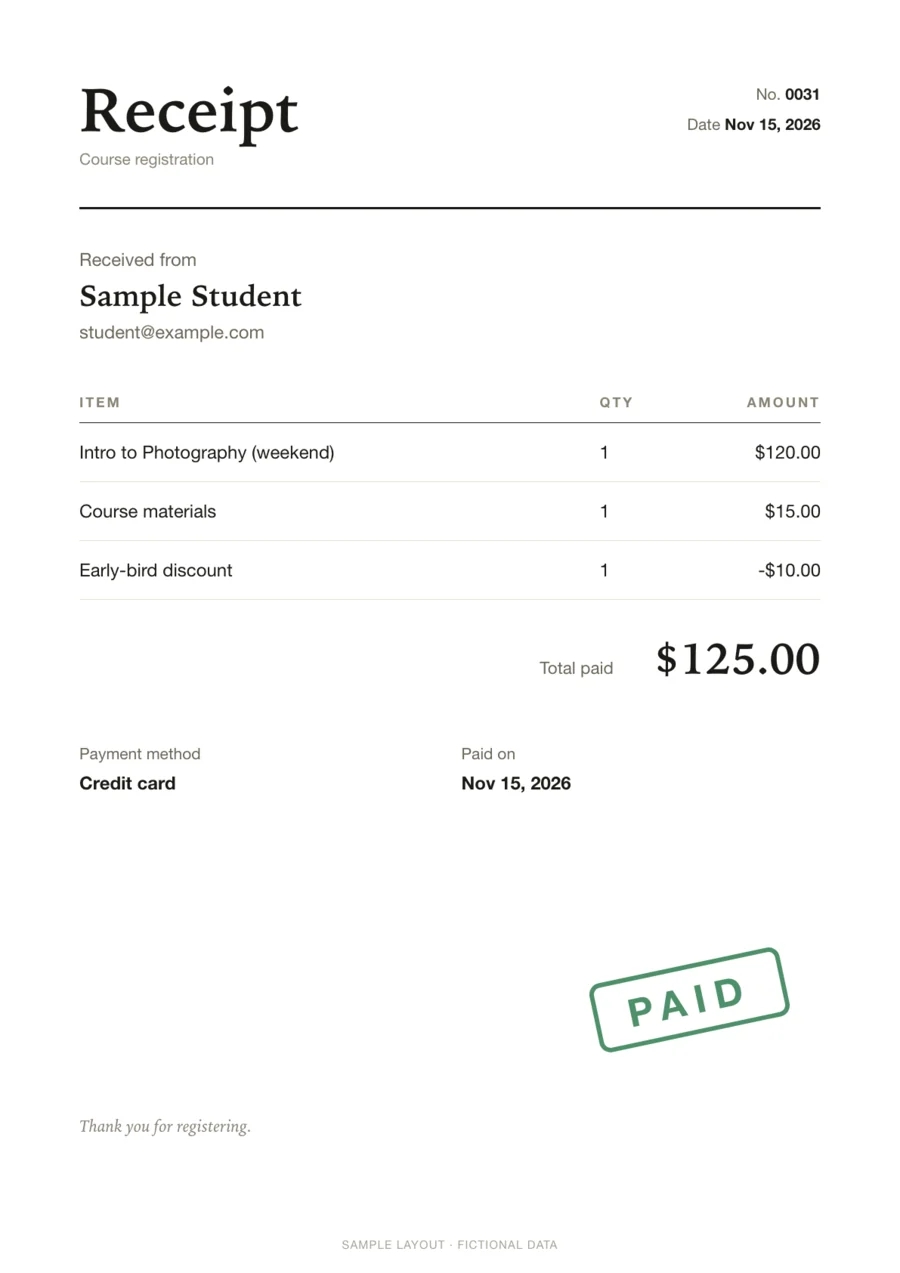
PDFの仕上がり
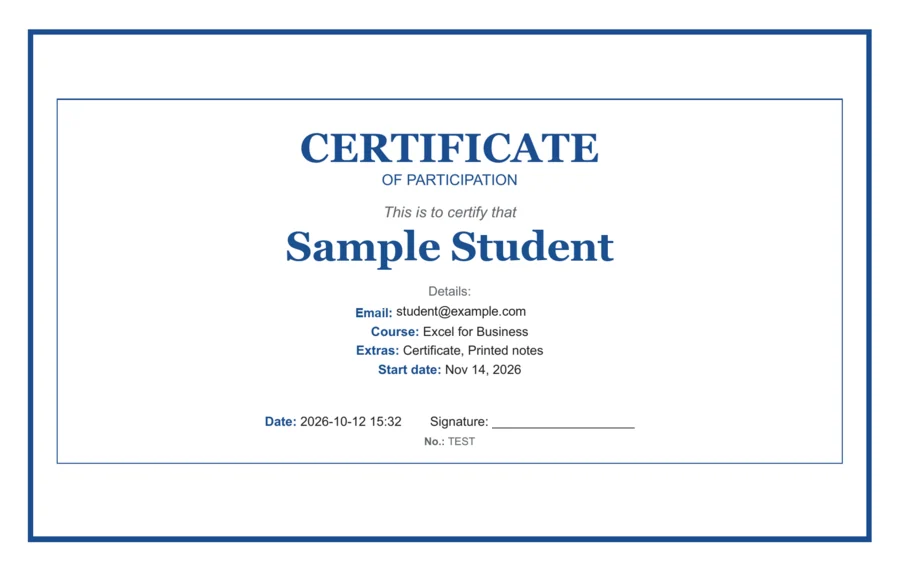
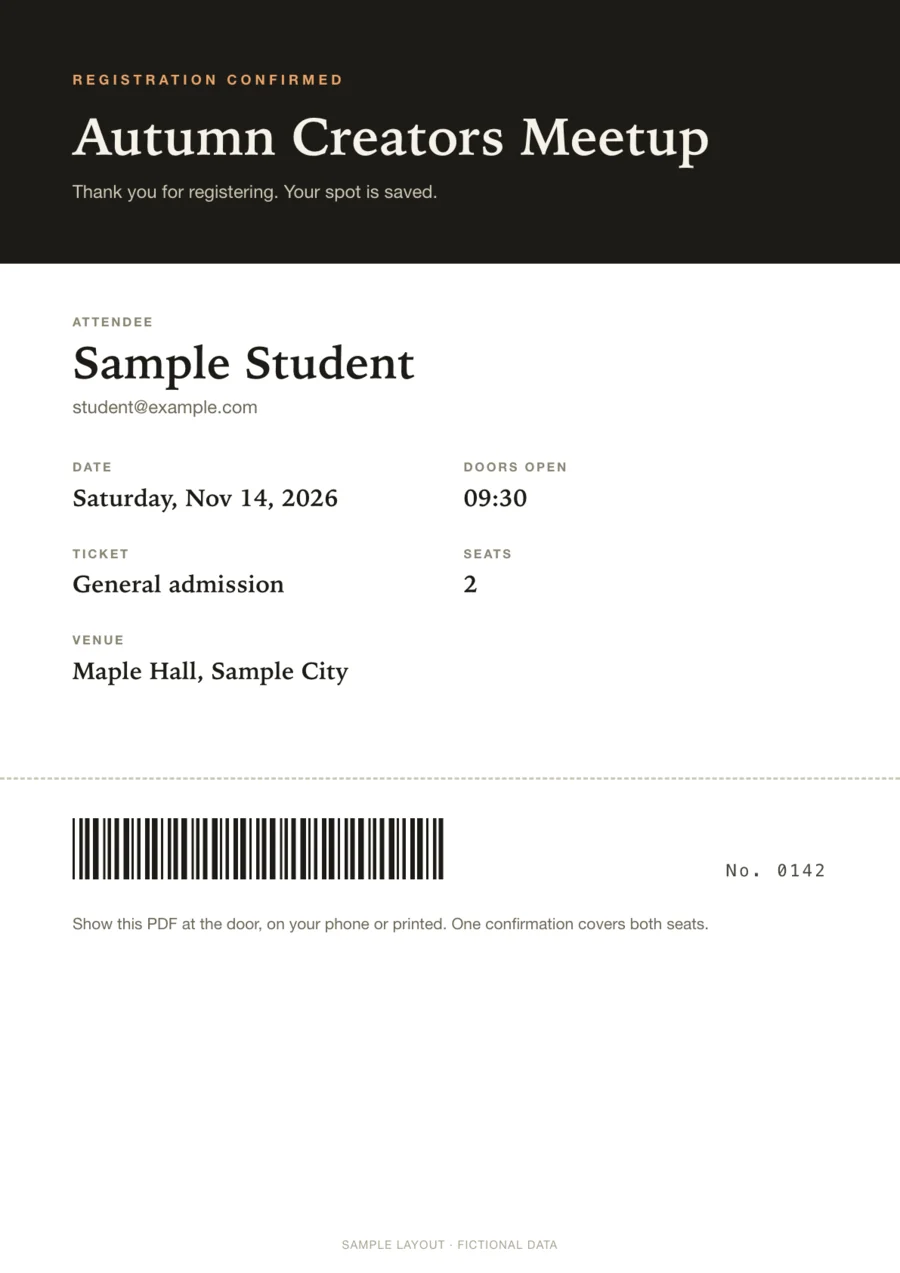
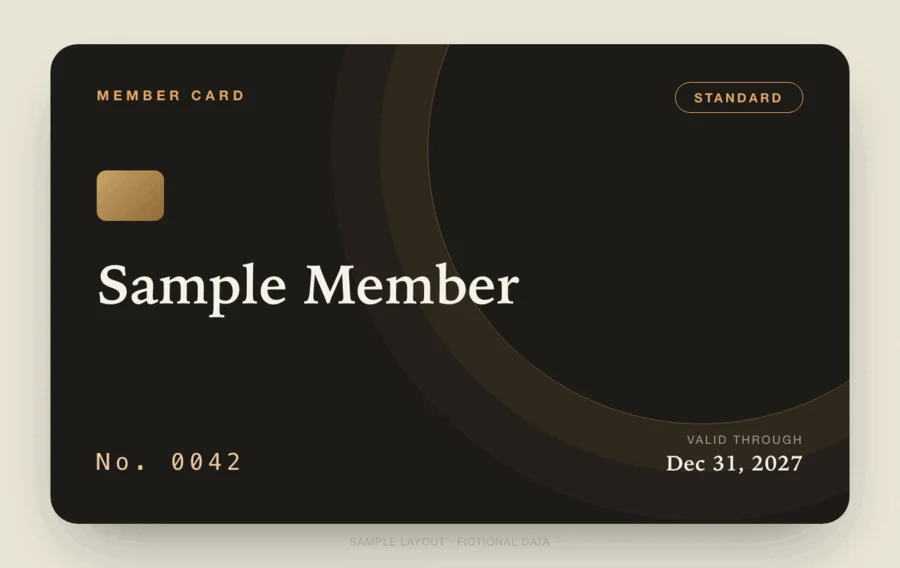
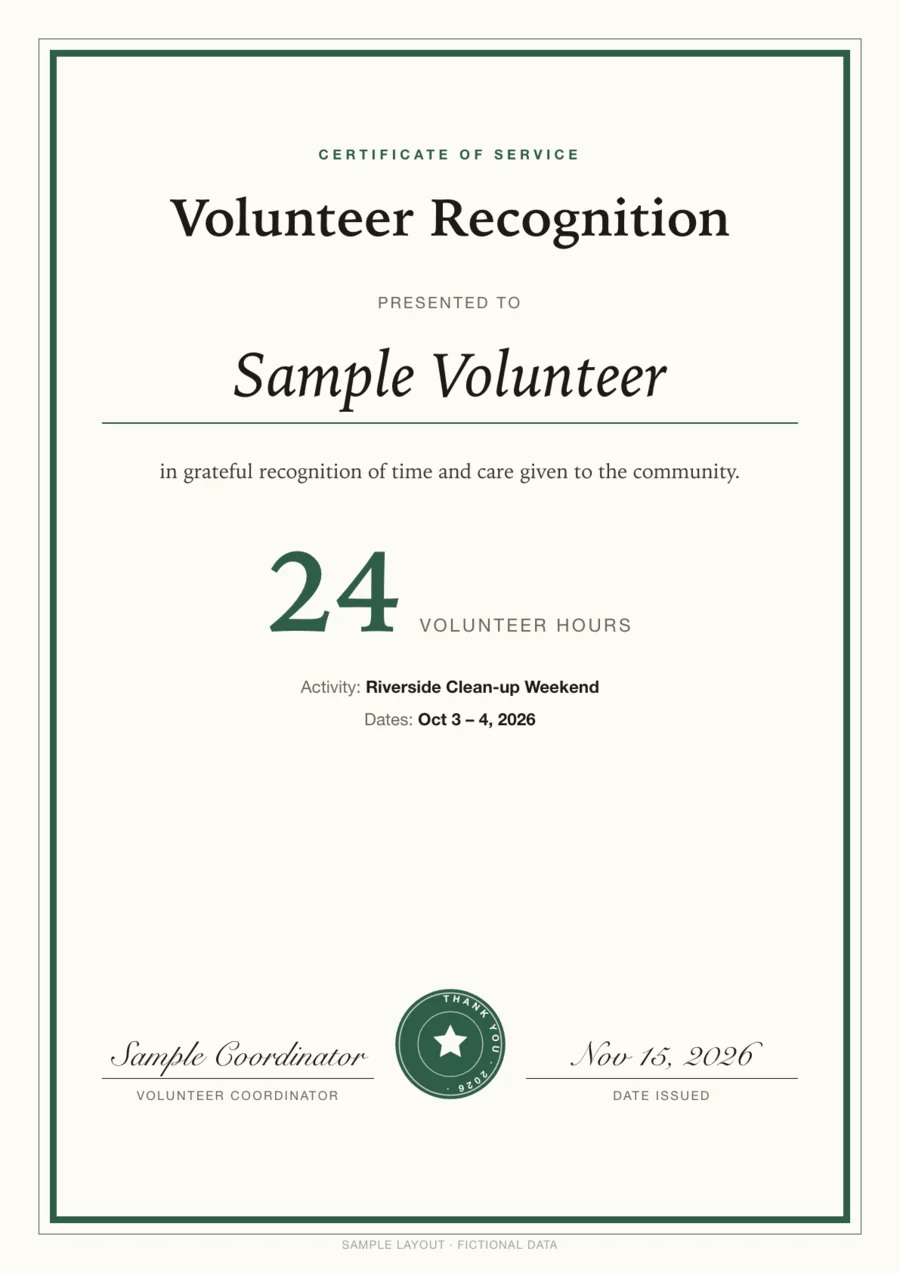
最初の1枚は、以前のバージョンのアドオンで作った実際のPDFです。タップすると原寸で表示されます。
修了証を配りますか?
先生や研修センターなら、修了者一人ひとりに本人の名前入りのPDF修了証をメールで送れます。毎月8件まで無料です。
手元から消える書類仕事

学校・研修
講座が終わってアンケートフォームを送ると、受講者一人ひとりに本人の名前入りの修了証が届きます。

少人数のチーム
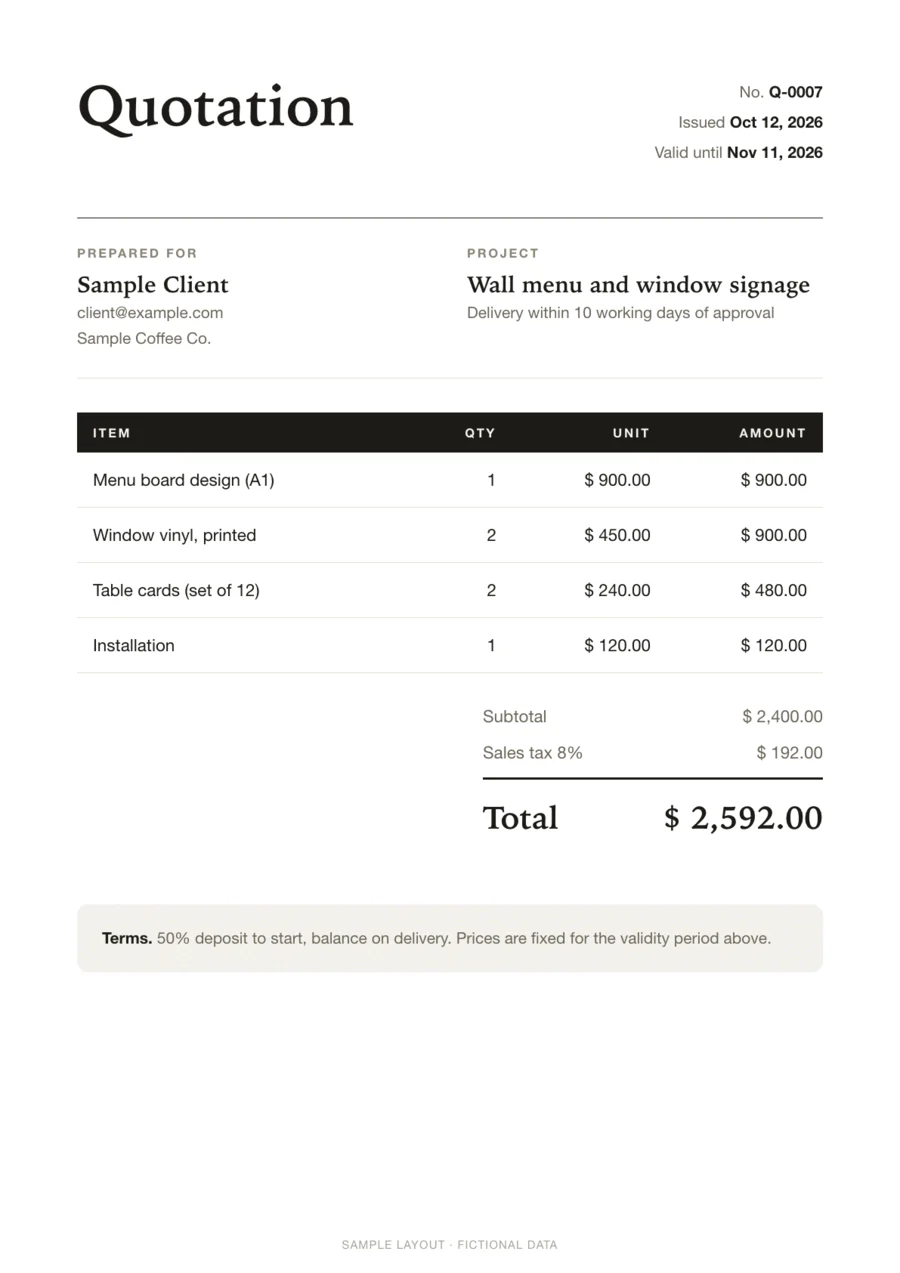
フォームが送信された瞬間に、見積書、領収書、確認書が送られます。誰も入力し直す必要はありません。

イベント・申し込み
申し込みごとに、名前、チケットの種類、セッションが入った確認書のPDFが届きます。
回答はお客様のGoogle アカウントから出ません

データはGoogleの中に
回答と、そこから作られたPDFは、お客様ご自身のGoogle アカウントの中に残ります。当社のサーバーは経由しません。アドオンが見られるのは自分で作ったファイルだけで、それ以外のドライブの中身は見えません。
外部への通信は1つだけ
ライセンスキーを入力すると、アドオンはそのキーをPolarに送って確認します。フォームの内容は一切送りません。
お支払いと解約
Polarは当社の販売事業者(Merchant of Record)です。決済と売上税の処理を行い、当社がカード番号を見ることはありません。解約すると次の期間からの請求を止め、お支払い済みの期間は終了まで有効です。
質問
support@usefairsign.comまでメールでお問い合わせください。通常2営業日以内にお返事します。
FairSign Forms to PDFとAutocrat、どちらを選ぶ?
Autocratはこの用途でよく知られたアドオンです。ご自身に合うほうを選べるよう、2つの違いをまとめました。
| FairSign Forms to PDF | Autocrat | |
|---|---|---|
| 設定する場所 | Google フォームの中 | フォームにリンクしたGoogle スプレッドシートの中 |
| テンプレート | Google ドキュメント | Google ドキュメントとスライド |
| 料金 | 毎月8件まで無料、Proは年$79 | Marketplaceのページには記載なし |
Autocratで問題なく使えているなら、そのままお使いください。Autocratとの詳しい比較を読む
まずは無料で。足りなくなったらアップグレード。
無料プランは毎月8件まで。Proは月間の上限がありません。
無料
おすすめ: まず1つのフォームで試したい方
- 毎月8件のPDF
- すぐに使えるテンプレート70種類
- Google ドキュメントで編集できるテンプレート
- 英語、中国語(簡体字)、ベトナム語のスターターテンプレート
- 回答者一人ひとりにPDFをメール送信
30-Day Event Pass
Full Pro access for 30 days with unlimited PDFs. No subscription and does not auto-renew.
School & Team
Full Pro access for up to 10 users on the same school or organization domain.
District & Enterprise · Obsidian Sovereign
Google Workspace domain-wide activation without individual license keys, full white-label sender & custom SMTP, 2 custom school or corporate crest templates, Obsidian Sovereign + 18K Rose skins, and 3x priority roadmap pinning.
Order Bump · Royal Scribe 1-on-1 Template Concierge
Done-for-you certificate, contract or receipt layout formatted in Google Docs with your logo, crest and verified {{tags}} within 24 hours.
決済は当社の販売事業者(Merchant of Record)であるPolarが、売上税を含めて処理します。当社がカード番号を見ることはありません。
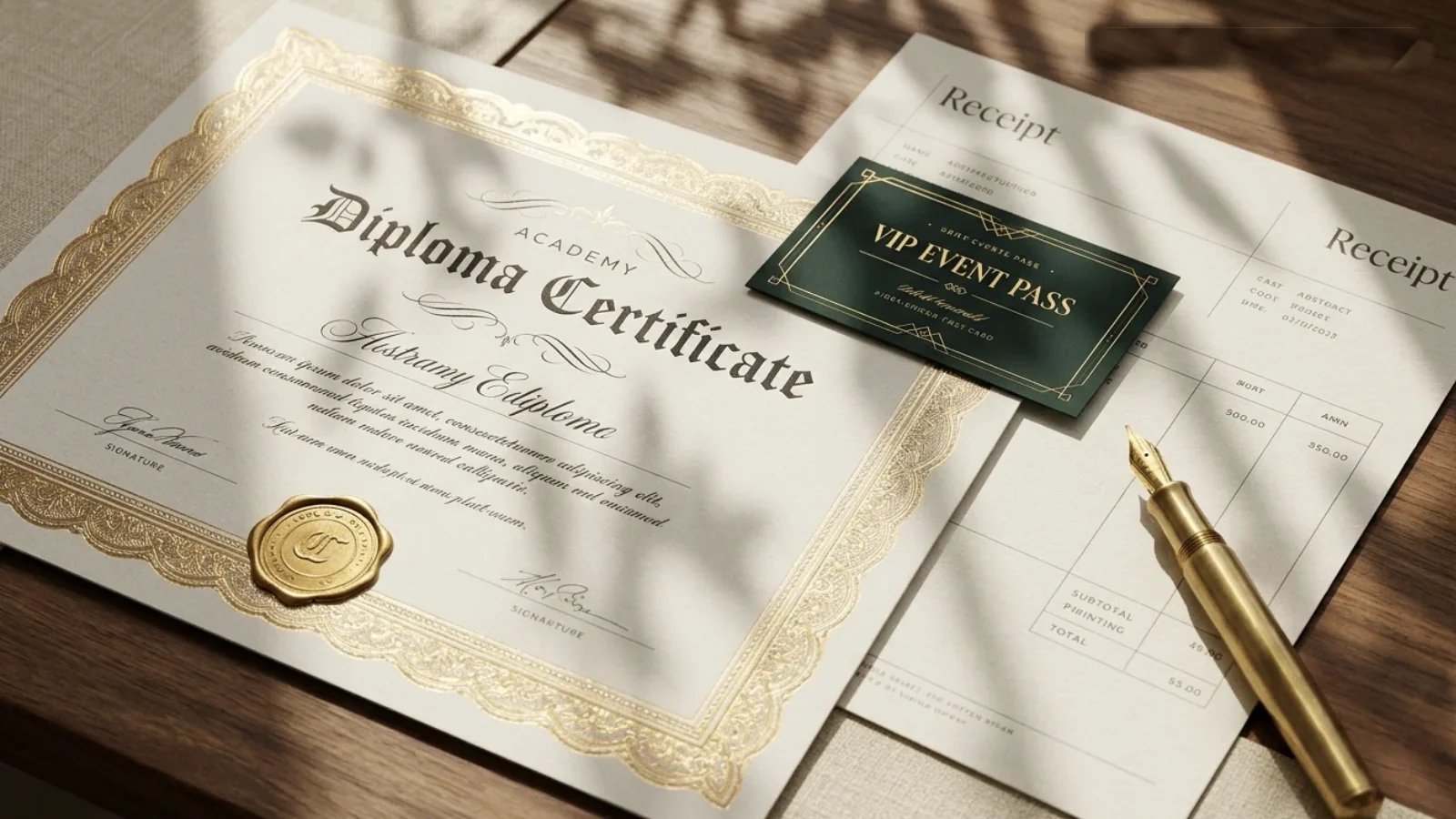
Official Graduation & Onboarding Credential
Certificate of Academic Completion
Awarded to Sample Graduate upon completion of the accredited program, merged from Google Docs and sealed with QR verification inside Google Forms.
Every generated PDF preserves your exact Google Doc typography, school crest, HR contract clauses, or official receipt table.
実在の教員・企業管理者 専用コミュニティラウンジ
架空アカウント一切なし。実際の学校教員・教務担当・企業人事管理者のための誠実な交流空間です(1グループ上限500名・ゲストは閲覧のみ)。
ゲストおよび無料プランの方は閲覧専用です。部外者や宣伝スパムの混入を防ぐため、メッセージ投稿・活用事例の共有・テンプレート相談スレッドの作成は有効な有料プラン会員(ヴァンガード/チャンセラー/ダッチェス/リージェント評議会/黒曜の君主)のみに限定されています。
動的QR真贋確認ポータル&学校・法人印章カスタムビルダー
発行されるすべての修了証書や採用通知書に改ざん防止QR印を刻印し、スキャン一発で真贋確認。
多言語条件分岐テンプレートルーター(回答言語でGoogleドキュメントを自動選択)
1つのGoogleフォームから、回答言語に応じて英・西・仏・独・日・中・越のGoogleドキュメント雛形へ自動振り分け。
Googleスプレッドシート過去行の選択&ワンクリック一括再発行
Googleスプレッドシートの過去行を選択し、修正後の修了証書や正式領収書を再生成してメール送付できます。
受取人PINパスワード保護&改ざん防止レイヤー結合
学籍番号や社員番号などのフォーム回答項目から自動設定できる任意のPDFパスワード保護機能。
ゲストおよび無料プランの方は閲覧専用です。部外者や宣伝スパムの混入を防ぐため、メッセージ投稿・活用事例の共有・テンプレート相談スレッドの作成は有効な有料プラン会員(ヴァンガード/チャンセラー/ダッチェス/リージェント評議会/黒曜の君主)のみに限定されています。
Why FairSign Exists · Engineering Standards
Built so teachers, registrars and ops teams get their evenings back
Too many schools and small teams still spend Friday nights copying form rows into Word documents, exporting PDFs one by one, and praying they did not attach the wrong student name.
Manual certificate nights and scary Drive permissions
When 80 workshop attendees or 120 parents submit a Google Form, doing PDFs by hand burns half a workday. Older add-ons solve the merge, yet demand full read-and-delete permission over every file in your Google Drive, which school IT admins rightly reject.
Your Google account stays the only home for your data
First: zero external document servers. Every merge runs inside Google Apps Script, saving straight into Drive. Second: strictly 7 minimal Google scopes so IT security reviews pass smoothly. Third: self-test emails stay private and never consume monthly free quota.
Steadily maintained like core office infrastructure
From v1.0 to v11.0, FairSign is built for reliability over hype. Every release goes through automated multi-language, quota, and privacy checks before publishing, backed by direct human support with no bots or dead-end noreply mailboxes.
Responses & PDFs stay 100% inside your Google Drive and Gmail.
Touches only the current form and templates it creates.
Real replies via Gmail and priority adoption for user suggestions.
Co-Creation Suggestion Vault · Direct to Product Team
Tell us what to build next, and get a tracked receipt ID
Need a specific school certificate layout, HR contract clause, or workflow shortcut? Submit your suggestion directly below. Adopted ideas receive a complimentary 1-month Pro thank-you pass.
Community Priority Vote Board
Click to upvote what you want shipped next in v11.x / v12.0:
Transparent Release Engineering
FairSign version evolution & upcoming roadmap
Built continuously from v1.0 prototype to v11.0 Sovereign Suite so schools and businesses can rely on FairSign year after year.
Core Forms-to-PDF Engine
Zero-server Google Apps Script merge, Drive archiving, Send-Test-to-Self and 7 minimal scopes.
70+ Templates & 11 Languages
Expanded starter library for certificates, receipts & confirmations plus multi-language localization.
QR Seals, Polar Pro & Sovereign Skins
Dynamic QR verification stamps, 8 PDFs/mo Free tier, Event Pass ($39), Team ($249/yr) & Executive Lounge.
ROI Calculator, Suggestion Vault & Direct Channels
Interactive savings calculator, 4 local free PDF tools hub, tracked co-creation vault, 3 global UI modes & direct Gmail/TG/WA dock.
Chrome Companion & Two-Step Approvals
Manifest V3 Chrome placeholder helper, auto-fit long-name typography, and manager sign-off routing.
よくある質問
FairSignはフォームの回答を見られますか?
いいえ。アドオンはお客様のGoogle アカウントの中で動きます。回答の読み取り、テンプレートへの差し込み、メール送信はすべてそこで行われます。Googleの外に出る通信はPolarでのライセンスキー確認だけで、送るのはキーのみです。
どのようなGoogleの権限を求めますか?
7つです。インストールしたフォーム、アドオンがドライブに作るファイル(ドキュメントのテンプレートを含み、それ以外のドライブやドキュメントは対象外)、メールの送信、ライセンス確認のための外部通信、サイドバー、送信時のトリガー、お客様ご自身のメールアドレスです。各項目の説明はプライバシーのページにあります。
無料の8件を超えるとどうなりますか?
翌月になるまで新しいPDFの作成が止まり、その際はメールでお知らせします。すぐに再開したい場合はProのライセンスキーを追加してください。
送信できるメールの数に上限はありますか?
はい、Googleがアカウントごとに定める1日の上限があります。無料のGmailはGoogle Workspaceより低く、お客様の名前でメールを送るすべてのアドオンに適用されます。
PDFのデザインは自由に決められますか?
はい。PDFはお客様のGoogle ドキュメントから作られるため、フォント、ロゴ、用紙サイズ、レイアウトはそこで設定したとおりになります。どの言語で書いてもかまいません。
解約の方法は?返金はありますか?
Polarの領収書メールまたはsupport@usefairsign.comからいつでも解約できます。まずは無料プランでお試しください。購入後7日以内に技術的な問題でPDFを生成できず、本番送信が10件未満の場合は、support@usefairsign.comまでご連絡いただければ全額返金します。
FairSignのツールはこれからも増えます
Forms to PDFが最初のツールです。Google フォーム、スプレッドシート、ドキュメント、スライド用の小さなアドオンを、さらに12個、1つずつ開発しています。
開発中の12個のツールを見る
最初に使いたいのはどれですか? ぜひ教えてください


