They submit your form. Their PDF arrives by email.
Write a certificate, receipt or confirmation once in Google Docs, and FairSign fills in each person's answers and emails them the PDF from your own Gmail.
- Free for 20 PDFs a month
- Pro $69 a year
- Responses stay in your Google account
FairSign tools
Forms to PDF works today. The other twelve are being built. Join a waitlist and we send you one email when that tool opens.
Set it up once, inside the form.
You write the document in Google Docs. After that, each new response is filled in, turned into a PDF and sent without you touching it.
Open your form
Start FairSign Forms to PDF from the add-on menu and pick the question that asks for an email address.
Choose a template
Use a starter template in English, Chinese or Vietnamese, or your own Google Doc. Answers go wherever you type a question title in double braces, like {{Name}}.
Send a test, then switch it on
Test with your latest response first. The test PDF goes only to you. When it looks right, turn on automatic sending.
What the PDFs look like
Six of the thirteen sample layouts. Tap one to see it full size.
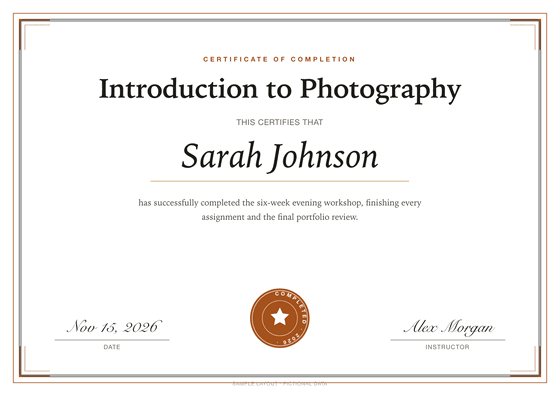
Training certificate
Full name · Course title · Completion date
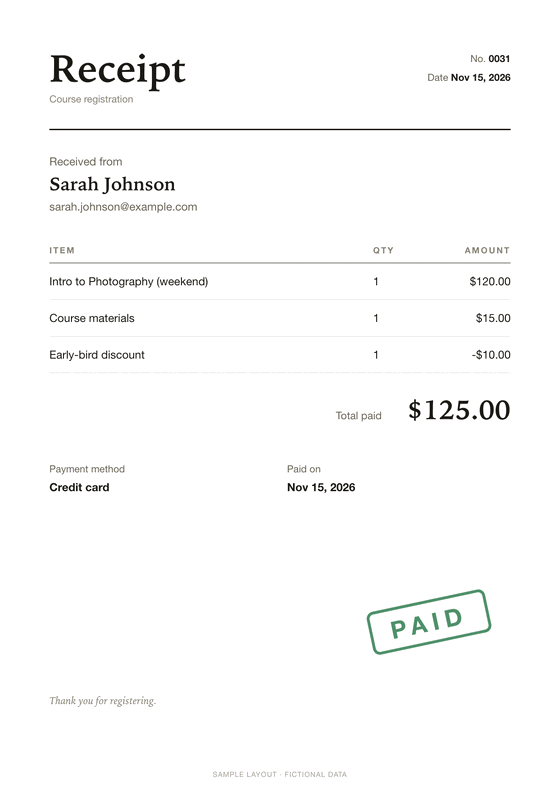
Payment receipt (USD)
Full name · Email · Course or item
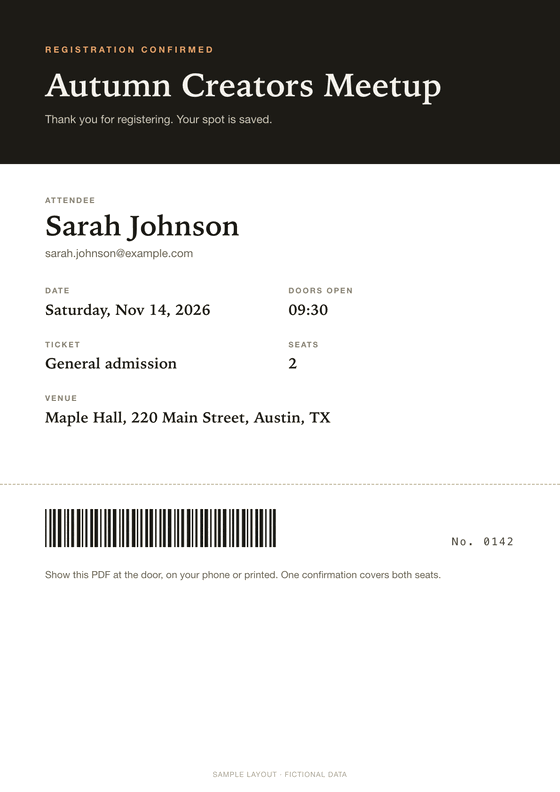
Event registration confirmation
Attendee name · Email · Ticket type
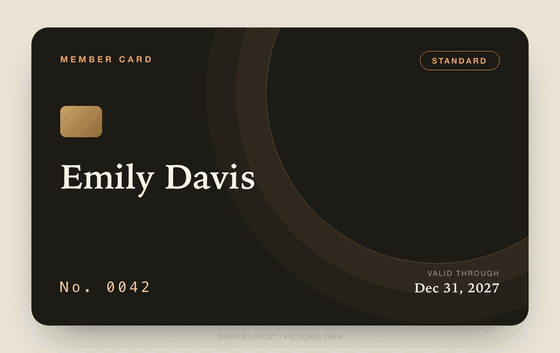
Membership card
Member name · Membership tier · Start date
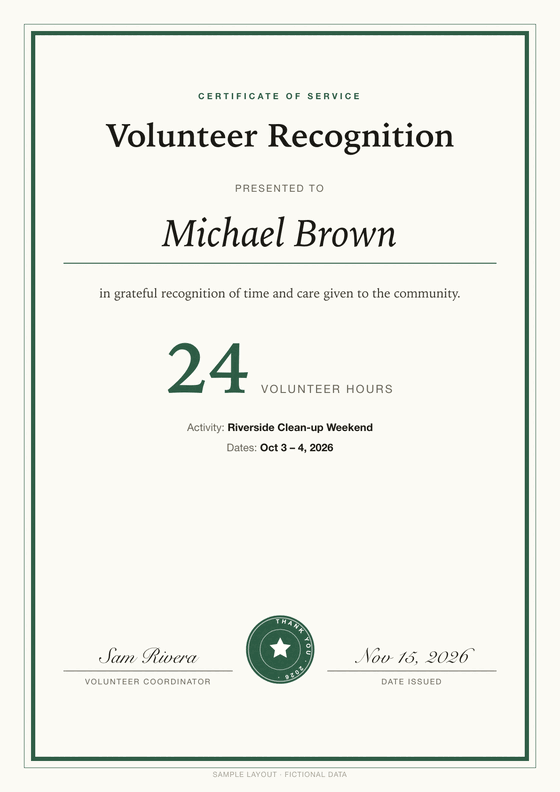
Volunteer service certificate
Volunteer name · Activity · Hours
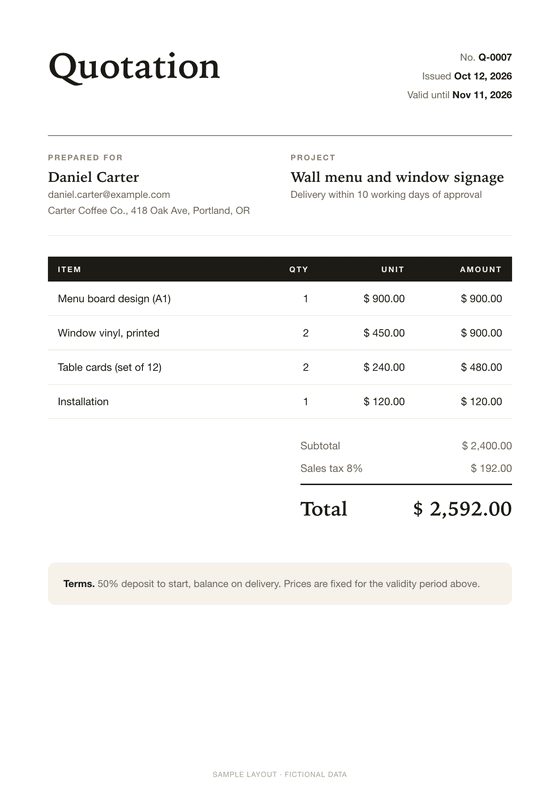
Quotation
Company · Contact · Items requested
Jobs it takes off your hands
Course certificates
Course ends Friday. 48 people need a certificate with their own name on it. Share the feedback form in the last session, and each person gets their certificate when they submit.
{{Name}} · {{Course}} · {{Date}}Fee receipts
A parent pays the term fee and fills in the form. A minute or two later they have a receipt with the student's name, the course and the amount.
{{Student}} · {{Amount}}Event confirmations
120 people sign up for an open day. Each one gets a PDF with their name, ticket type and session time to show at the door.
{{Attendee}} · {{Ticket type}}Small-shop receipts
You take orders with a form. The customer gets a tidy PDF receipt with the items and the total, and you skip the invoicing software.
{{Items}} · {{Total}}Before you install
Your data stays with Google
Responses and the PDFs made from them stay in your own Google account. They never pass through our servers. The add-on sees only the files it creates, not the rest of your Drive.
One outside request
If you enter a license key, the add-on sends that key to Polar to check it. Nothing from your forms goes with it.
Payment and refunds
Polar is our merchant of record. It takes the payment and handles sales tax, and we never see your card number. If FairSign is not right for you, ask within 14 days for a full refund.
Questions
Email support@usefairsign.com. We usually reply within 1 business day.
FairSign Forms to PDF or Autocrat?
Autocrat is the best-known free tool for this job, with 83M+ installs on the Google Workspace Marketplace (Oct 2026). This is where the two differ.
| FairSign Forms to PDF | Autocrat | |
|---|---|---|
| Where you set it up | In the Google Form | In a Google Sheet linked to the form |
| Templates | Google Docs | Google Docs and Slides |
| Price | Free for 20 PDFs a month, Pro $69 a year | Free |
If Autocrat already works for you, keep it. Read the full Autocrat comparison
Pricing
Free and Pro make the same PDFs. Pro removes the 20-a-month limit.
Free
- 20 PDFs a month
- Your own Google Docs templates
- Starter templates in English, 简体中文, Tiếng Việt
- PDF emailed to each respondent
Pro
or $8/month
- Unlimited PDFs
- Everything in Free
- Cancel any time
- Full refund within 14 days
Every FairSign tool, including the ones still being built.
Polar handles checkout as our merchant of record, including sales tax. We never see your card number.
Questions
Can FairSign see my form responses?
No. The add-on runs inside your Google account. It reads each response, fills your template and sends the email there. The only request that leaves Google is the license key check with Polar, and it carries only the key.
Which Google permissions does it ask for?
Eight: the form it is installed in, the Docs it creates, the Drive files it creates (not the rest of your Drive), sending email, outside requests for the license check, its sidebar, its submit trigger, and your own email address. The privacy page explains each one.
What happens after 20 free PDFs?
New PDFs pause until the next calendar month, and we email you when that happens. Add a Pro license key to carry on straight away.
Is there a limit on how many emails go out?
Yes, Google's own daily limit for your account. It is lower for free Gmail than for Google Workspace, and it applies to every add-on that sends mail as you.
Can I design the PDF however I like?
Yes. The PDF is made from your Google Doc, so the fonts, logo, page size and layout are whatever you set there. Write it in any language.
How do I cancel or get a refund?
Cancel from the Polar receipt email, or write to support@usefairsign.com. Pro stays on until the end of the period you paid for. Ask within 14 days of paying and we refund the full amount.
Stop typing certificates by hand.
Install the add-on, choose a template, and the next response gets its PDF.