When to use the Donation Receipt
A donation receipt thanks a donor and records what they gave. Charities, school parent groups, sports clubs and community fundraisers use them to acknowledge gifts quickly, while the donor still remembers giving. Sending the receipt automatically also reduces the volume of manual replies after a campaign. The green banner and the line about generosity keep the tone warm.
Questions to ask in your form
Create these questions in your Google Form. The PDF is built from the questions you ask, so rename, add or drop any of them.
- Donor name Short answerShown at the top of the donor details block.
- Email address Short answerWhere the receipt is sent.
- Campaign or fund DropdownFor example 'Community Garden Fund'.
- Payment method DropdownCard, bank transfer, cheque or cash.
- Gift amount Short answerName it Amount. It becomes the bold 'Gift amount' row.
- Donor address ParagraphOptional. Some tax schemes ask for it.
What the PDF contains
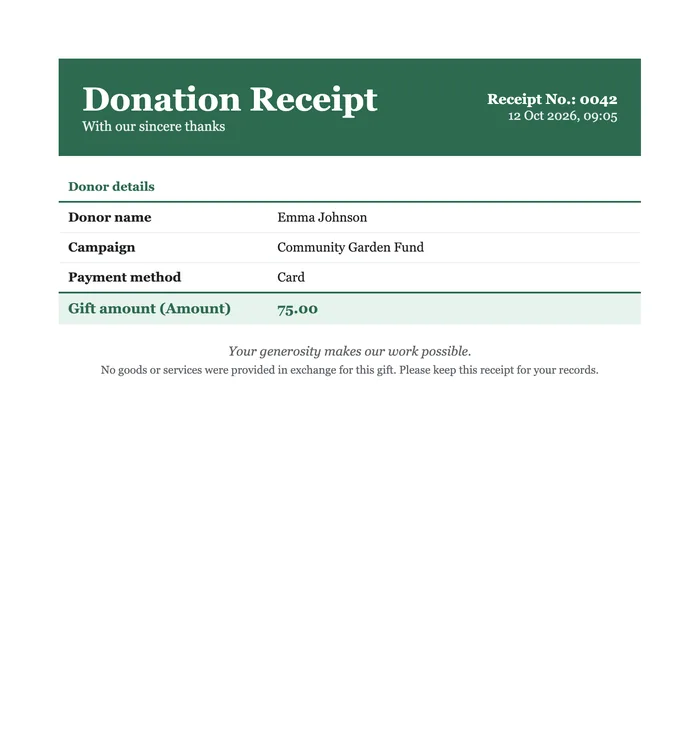
A page with a green banner that reads 'Donation Receipt' and 'With our sincere thanks'. Donor details sit in a table with lines between rows, and the gift amount is highlighted at the bottom. Underneath is a note that no goods or services were provided in exchange for the gift, and a reminder to keep the receipt.
Set it up in three steps
- Install the add-on. Add FairSign Forms to PDF to Google Forms from the Google Workspace Marketplace. It is free to install.
- Pick this template. Open your form, click the puzzle-piece icon (or the three-dot menu, then Add-ons), and open FairSign Forms to PDF. In step 1, choose Donation Receipt from the template library. It opens as a Google Doc in your Drive.
- Turn on sending. Tell the add-on which question holds the email address, send a test to yourself, then switch on automatic sending. Each new response is turned into a PDF and emailed to the person.
Tips for the Donation Receipt
- Add your charity or organisation name and registration number to the header of the Google Doc if you have one.
- Ask for the donor's address only when a tax scheme needs it. The fewer fields you ask for, the more people finish the form.
- Do not tick a box in the form that promises a tax benefit unless you are sure it applies. Tell people to check with the tax office.
Note. This template is not legal or tax advice. Rules for donation receipts and tax relief differ by country and by organisation. Check what your tax authority requires before you rely on a receipt for a claim.
Questions people ask
Will this receipt qualify for tax relief?
That depends on your country and on your organisation. The template provides a layout. It does not guarantee that a receipt meets local rules.
Can I use it for recurring gifts?
Yes, one receipt per form response. For monthly donors, ask them to submit the form each month or issue receipts yourself.
Can I edit the Donation Receipt before I use it?
Yes. Choosing it in the add-on creates a Google Doc in your Drive. Change the wording, fonts or colours, add a logo, and keep the {{placeholders}} in double braces where answers should appear.