When to use the Membership Fee Receipt
A membership fee receipt confirms that annual or monthly dues have been paid. Sports clubs, gyms, professional associations, choirs and hobby societies use it, often when members renew in a rush. Members need a receipt for their records, and sometimes to claim the fee from an employer. Putting the form link in your renewal reminder lets the receipt go out the moment a member submits.
Questions to ask in your form
Create these questions in your Google Form. The PDF is built from the questions you ask, so rename, add or drop any of them.
- Member name Short answerShown at the top of the membership table.
- Member email Short answerWhere the receipt is sent.
- Membership type DropdownFor example 'Individual', 'Family', 'Student'.
- Period covered Short answerFor example 'January to December 2027'.
- Fee paid Short answerName it Fee or Amount to show it as the bold 'Fee paid' row.
- Paid by DropdownHow the fee was paid.
What the PDF contains
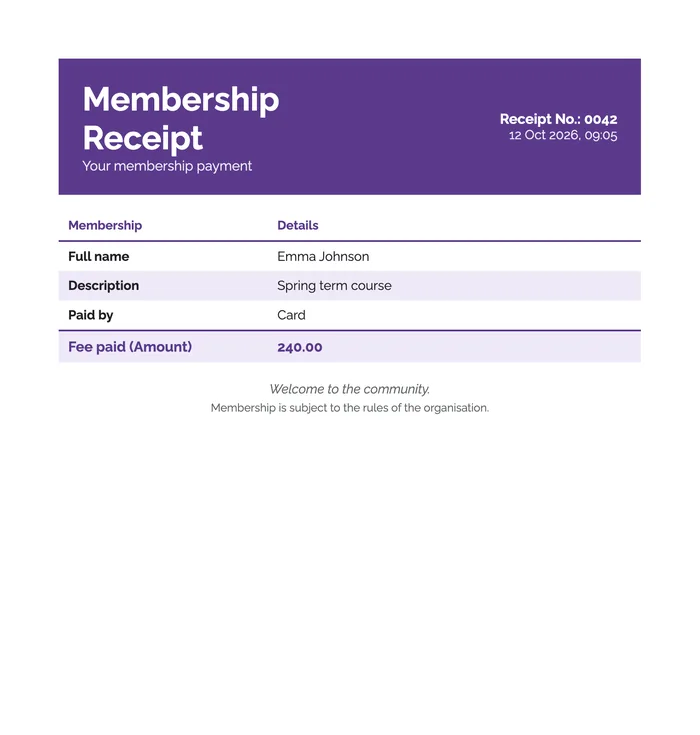
A purple banner headed 'Membership Receipt' with 'Your membership payment' underneath. Answers appear in shaded rows, and the fee paid is shown in bold at the end. The page closes with 'Welcome to the community' and a note that membership follows the rules of the organisation.
Set it up in three steps
- Install the add-on. Add FairSign Forms to PDF to Google Forms from the Google Workspace Marketplace. It is free to install.
- Pick this template. Open your form, click the puzzle-piece icon (or the three-dot menu, then Add-ons), and open FairSign Forms to PDF. In step 1, choose Membership Fee Receipt from the template library. It opens as a Google Doc in your Drive.
- Turn on sending. Tell the add-on which question holds the email address, send a test to yourself, then switch on automatic sending. Each new response is turned into a PDF and emailed to the person.
Tips for the Membership Fee Receipt
- Use a dropdown for membership type, so your records group neatly in the response sheet.
- Add the period covered, not just the date. Members often ask later 'Which year did I pay for?'
- Link the Google Form from your renewal email, and check payments weekly against the response sheet.
- If members pay by transfer, ask for the reference they used. It makes it much easier to match the receipt with a line on your bank statement.
Note. This template is not legal or tax advice. Rules for receipts, record keeping and tax differ by country. Check what applies to you before you rely on a receipt.
Questions people ask
Can I send a membership card too?
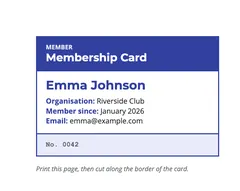
Yes. Make a second form with the Membership Card template and share its link once the fee has been paid.
Do I need to change the footer wording?
Only if your rules differ. Edit the last line in the Google Doc to match.
Can I edit the Membership Fee Receipt before I use it?
Yes. Choosing it in the add-on creates a Google Doc in your Drive. Change the wording, fonts or colours, add a logo, and keep the {{placeholders}} in double braces where answers should appear.