When to use the Tuition Fee Receipt
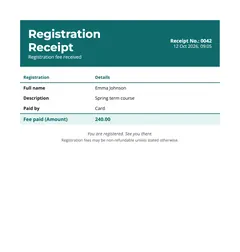
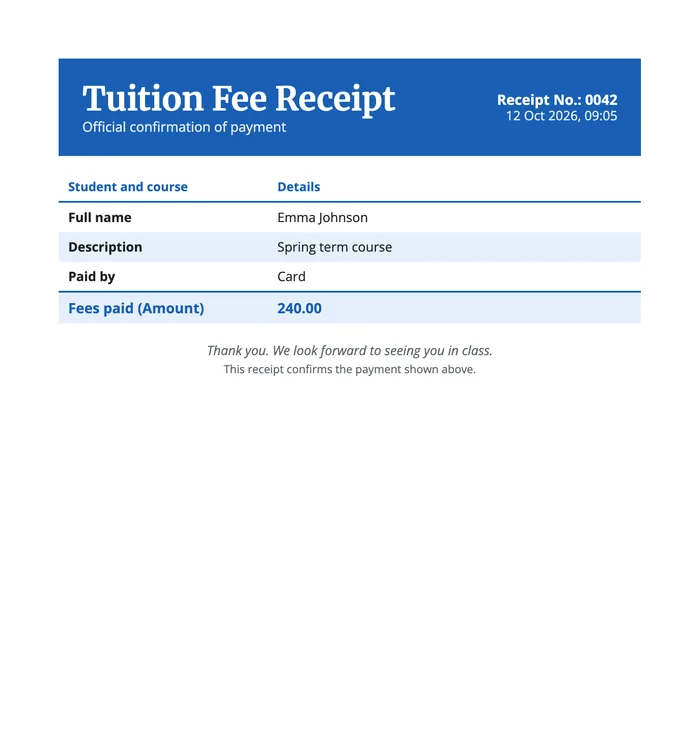
A tuition fee receipt tells a parent or student that fees have been paid. Private tutors, music teachers, language schools, after-school clubs and small academies use it every term. Families often need the receipt for an employer reimbursement or for a tax claim, so a clear record helps them. The blue banner reads 'Tuition Fee Receipt' and the page is built for one student and one course per response.
Questions to ask in your form
Create these questions in your Google Form. The PDF is built from the questions you ask, so rename, add or drop any of them.
- Student name Short answerShown in the table.
- Parent or payer email Short answerWhere the receipt is sent.
- Course and term Short answerFor example 'Piano, Autumn term'.
- Paid by DropdownCard, bank transfer, cash or cheque.
- Fees paid Short answerName it Fees or Amount so the total row is highlighted.
- Payment date DateOptional.
What the PDF contains
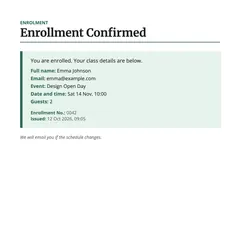
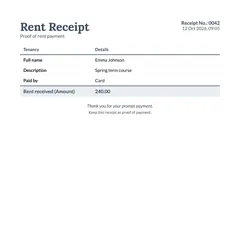
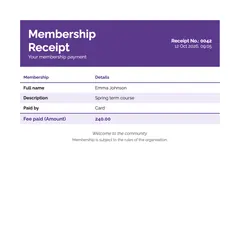
A blue banner headed 'Tuition Fee Receipt' with 'Official confirmation of payment' under it. Below, a table with alternating shaded rows lists the student and course answers, and the total fees paid is in bold on the final row. A line at the end says 'This receipt confirms the payment shown above'.
Set it up in three steps
- Install the add-on. Add FairSign Forms to PDF to Google Forms from the Google Workspace Marketplace. It is free to install.
- Pick this template. Open your form, click the puzzle-piece icon (or the three-dot menu, then Add-ons), and open FairSign Forms to PDF. In step 1, choose Tuition Fee Receipt from the template library. It opens as a Google Doc in your Drive.
- Turn on sending. Tell the add-on which question holds the email address, send a test to yourself, then switch on automatic sending. Each new response is turned into a PDF and emailed to the person.
Tips for the Tuition Fee Receipt
- Ask for the student's full name, not only a nickname. School or employer reimbursement offices often match receipts to names.
- If you have siblings, run one form response per child so each receipt shows one name and one amount.
- Put the term dates in the course question. It saves a follow-up email when someone needs proof for a specific period.
Note. This template is not legal or tax advice. Rules for receipts, record keeping and tax differ by country. Check what applies to you before you rely on a receipt.
Questions people ask
Can a parent get the receipt as soon as they pay?
Yes, if they submit the form after paying. For a stricter flow, fill in the form yourself once the payment has cleared.
Will this work for adult education?
Yes. Use the student field for the learner's name, whoever pays.
Can I edit the Tuition Fee Receipt before I use it?
Yes. Choosing it in the add-on creates a Google Doc in your Drive. Change the wording, fonts or colours, add a logo, and keep the {{placeholders}} in double braces where answers should appear.