When to use the Contractor Pass
A contractor access pass identifies a worker who is on site for a limited time: an electrician, a delivery driver, a decorator, a consultant. Facilities managers, schools, offices and small factories use it so staff know the person is expected. A short form, completed by the contractor or the host, produces a portrait card in slate blue, with the name, the company and a number. It marks who is expected. It does not grant entry on its own.
Questions to ask in your form
Create these questions in your Google Form. The PDF is built from the questions you ask, so rename, add or drop any of them.
- Contractor name Short answerFirst question, printed large.
- Email address Short answerWhere the pass is sent.
- Company Short answerPrinted as a labelled line.
- Work to be done Short answerPrinted as a labelled line.
- Valid from and until Short answerFor example '12 to 14 March'.
- Site contact Short answerThe staff member responsible.
What the PDF contains
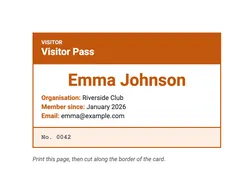
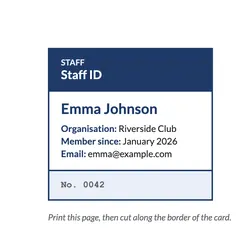
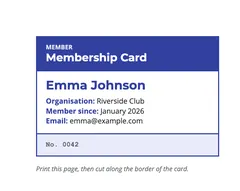
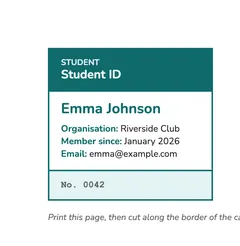
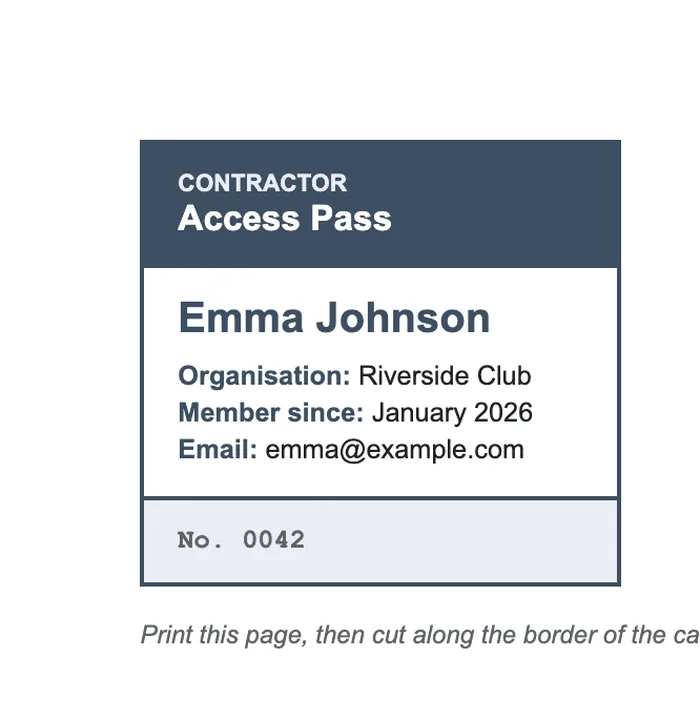
A page with a portrait card about 2.4 inches wide. A slate header carries the label 'Contractor' and the words 'Access Pass'. The name is large below it, with a labelled line for each answer, and a pale strip at the bottom shows a number such as No. 0042. A note under the card says to print the page and cut along the border.
Set it up in three steps
- Install the add-on. Add FairSign Forms to PDF to Google Forms from the Google Workspace Marketplace. It is free to install.
- Pick this template. Open your form, click the puzzle-piece icon (or the three-dot menu, then Add-ons), and open FairSign Forms to PDF. In step 1, choose Contractor Pass from the template library. It opens as a Google Doc in your Drive.
- Turn on sending. Tell the add-on which question holds the email address, send a test to yourself, then switch on automatic sending. Each new response is turned into a PDF and emailed to the person.
Tips for the Contractor Pass
- Include the dates the pass is valid. A pass with no end date is a risk.
- Name a site contact on the card. It lets anyone who meets the contractor know whom to call.
- Check insurance and induction separately. A pass does not show that the worker has either.
Note. This template is not legal advice. Rules on identity cards, access control and personal data differ by country and by site. A printed card is not a security credential.
Questions people ask
Does it show that safety training was done?
Only if you add a question for it. The card prints answers as typed.
Can the host fill in the form for the contractor?
Yes. Use the host's email as the recipient, so the pass comes to them.
Can I edit the Contractor Pass before I use it?
Yes. Choosing it in the add-on creates a Google Doc in your Drive. Change the wording, fonts or colours, add a logo, and keep the {{placeholders}} in double braces where answers should appear.