When to use the Student ID Card
A student ID card gives learners something that shows they belong to a school, a course or a youth club. Language schools, evening classes, tutoring centres and holiday programmes use it to identify students, for discounts and for entry to a building. The teal card prints as a tall panel about 2.4 inches wide, with the student's name, the school and a number. It is a simple printed ID, not an official government or school-system credential.
Questions to ask in your form
Create these questions in your Google Form. The PDF is built from the questions you ask, so rename, add or drop any of them.
- Student full name Short answerFirst question, printed large.
- Student or parent email Short answerWhere the card is sent.
- School or programme Short answerPrinted as a labelled line.
- Year group or course DropdownOptional.
- Valid until DateOptional but useful for term-based cards.
- Emergency contact Short answerOptional. Think about whether to print it.
What the PDF contains
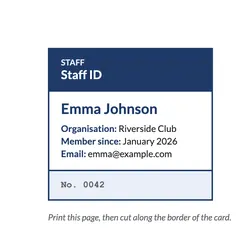
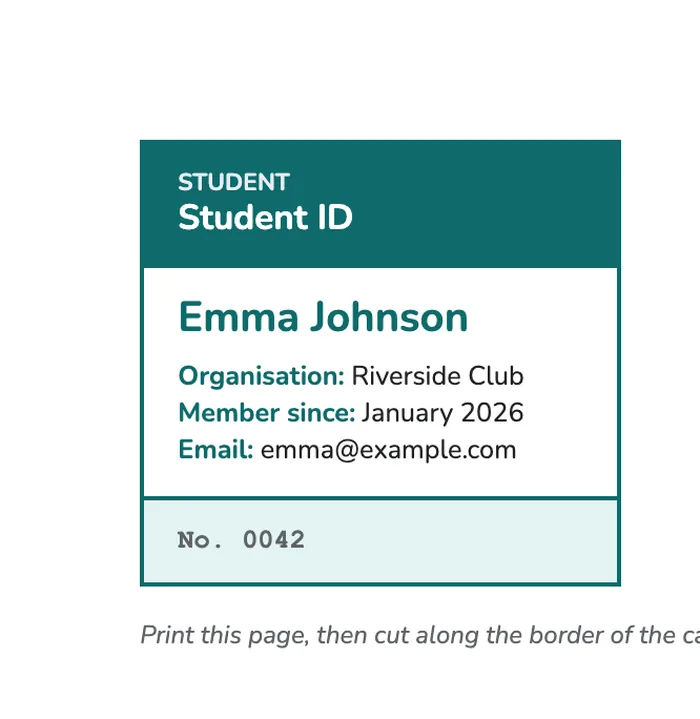
A page with a portrait card about 2.4 inches wide. A teal header carries the label 'Student' and the words 'Student ID'. The name is large below it, followed by a labelled line for each answer, and a pale teal strip at the bottom shows a number such as No. 0042. Under the card, a note says to print the page and cut along the border.
Set it up in three steps
- Install the add-on. Add FairSign Forms to PDF to Google Forms from the Google Workspace Marketplace. It is free to install.
- Pick this template. Open your form, click the puzzle-piece icon (or the three-dot menu, then Add-ons), and open FairSign Forms to PDF. In step 1, choose Student ID Card from the template library. It opens as a Google Doc in your Drive.
- Turn on sending. Tell the add-on which question holds the email address, send a test to yourself, then switch on automatic sending. Each new response is turned into a PDF and emailed to the person.
Tips for the Student ID Card
- Add a 'Valid until' date, so an old card does not stay in use for years.
- Be careful with children's data. Print only what the card needs, and share the response sheet with as few staff as you can.
- Laminate or use a card holder, since a paper card wears out quickly.
Questions people ask
Can students get a discount with it?
Only if the business accepts it. A printed card has no special status, so many places want an official student card.
Is there a photo space?
No. Students can stick a photo on after printing.
Can I edit the Student ID Card before I use it?
Yes. Choosing it in the add-on creates a Google Doc in your Drive. Change the wording, fonts or colours, add a logo, and keep the {{placeholders}} in double braces where answers should appear.