When to use the Membership Card
A membership card gives a person something to show that they belong: a place in a sports club, a gym, a book group, a society. Club secretaries use a sign-up form to collect the details, and the PDF arrives as a card with the member's name, the organisation, the start date and a number. It is a printable card, not a smart card, so it works for clubs where people know each other or a volunteer checks names at the door.
Questions to ask in your form
Create these questions in your Google Form. The PDF is built from the questions you ask, so rename, add or drop any of them.
- Full name Short answerThe first question becomes the large name on the card.
- Email address Short answerWhere the card is sent. It also shows on the card if you ask it as a question.
- Organisation or club Short answerAppears as a labelled line.
- Member since DateThe start of the membership.
- Membership level DropdownOptional. Adds a line to the card.
- Valid until DateOptional. Handy for annual memberships.
What the PDF contains
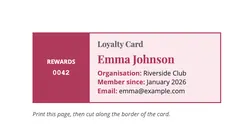
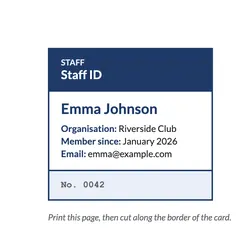
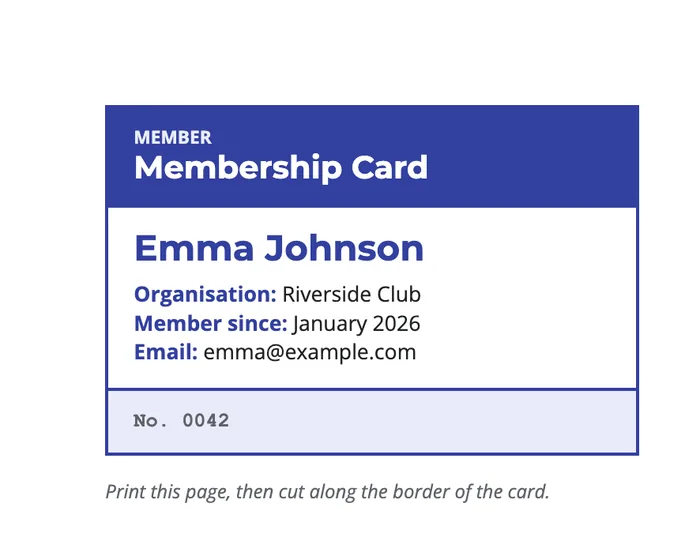
A page with one small card about 3.5 inches wide. An indigo header carries the label 'Member' and the words 'Membership Card'. Below it are the member's name in large type and a line for each further answer, and a pale strip at the bottom shows a number such as No. 0042. Under the card is 'Print this page, then cut along the border of the card.'
Set it up in three steps
- Install the add-on. Add FairSign Forms to PDF to Google Forms from the Google Workspace Marketplace. It is free to install.
- Pick this template. Open your form, click the puzzle-piece icon (or the three-dot menu, then Add-ons), and open FairSign Forms to PDF. In step 1, choose Membership Card from the template library. It opens as a Google Doc in your Drive.
- Turn on sending. Tell the add-on which question holds the email address, send a test to yourself, then switch on automatic sending. Each new response is turned into a PDF and emailed to the person.
Tips for the Membership Card
- Any question you add prints as a line on the card, so keep to three or four. Too many lines make the card crowded.
- The card has no photo, barcode or chip. It is fine for friendly clubs, but it is not a security credential, because anyone can print a copy.
- Print on card stock if you can. A heavier sheet makes the card last through a season.
Questions people ask
Can members add a photo?
The card does not include one. Members can stick a photo on after printing.
Does it take the membership fee?
No. Take the fee another way, and send a Membership Fee Receipt if you want a record.
Can I edit the Membership Card before I use it?
Yes. Choosing it in the add-on creates a Google Doc in your Drive. Change the wording, fonts or colours, add a logo, and keep the {{placeholders}} in double braces where answers should appear.