When to use the Credit Note
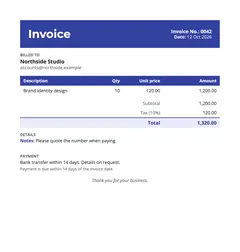
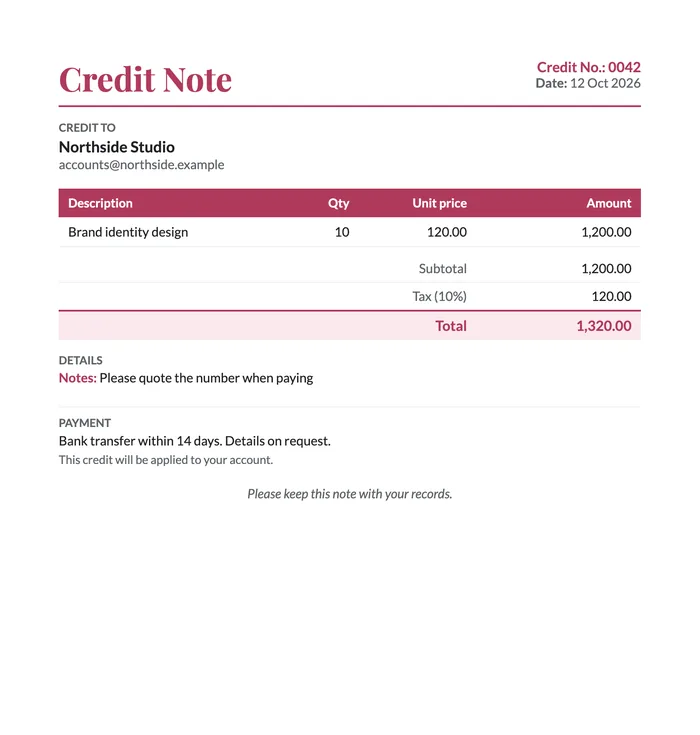
A credit note reduces what a customer owes, or gives them credit against a future order. Shops issue them after a return. Freelancers use them to fix an invoice that was too high. Suppliers use them to give a discount after the fact. The page copies an invoice, with a rose header and the wording 'Credit to', so it fits your accounting records. A form keeps each credit tied to a name, a reason and an amount.
Questions to ask in your form
Create these questions in your Google Form. The PDF is built from the questions you ask, so rename, add or drop any of them.
- Customer name Short answerPrinted under 'Credit to'.
- Customer email Short answerPrinted and used to send the note.
- Item or reason Short answerFor example 'Returned: ceramic mug x2'.
- Quantity Short answerA number.
- Unit price Short answerThe price being credited, per unit.
- Original invoice number Short answerOptional. Printed in the notes.
What the PDF contains
A rose-red page headed 'Credit Note' with a credit number and date. A 'Credit to' block comes first, then a table with description, quantity, unit price and amount, followed by subtotal, tax and a total in a pink band. The terms line says 'This credit will be applied to your account.' and the page ends by asking the customer to keep the note.
Set it up in three steps
- Install the add-on. Add FairSign Forms to PDF to Google Forms from the Google Workspace Marketplace. It is free to install.
- Pick this template. Open your form, click the puzzle-piece icon (or the three-dot menu, then Add-ons), and open FairSign Forms to PDF. In step 1, choose Credit Note from the template library. It opens as a Google Doc in your Drive.
- Turn on sending. Tell the add-on which question holds the email address, send a test to yourself, then switch on automatic sending. Each new response is turned into a PDF and emailed to the person.
Tips for the Credit Note
- Always quote the invoice number you are crediting. It lets accountants link the two documents.
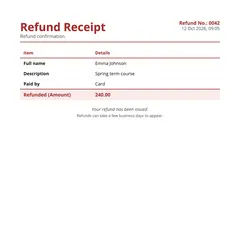
- A credit note is not a refund. If you also return money, send a Refund Receipt once it has been paid.
- Type positive numbers. The page title already says it is a credit, so there is no need for minus signs.
Note. This template is not legal or tax advice. Invoice rules, tax numbers and wording differ by country. Check what applies to you before you send an invoice.
Questions people ask
Does the credit change my accounts automatically?
No. FairSign creates the PDF only. Record the credit in your own bookkeeping.
Can I use it for a discount?
Yes. Describe the discount as the item and enter the amount being credited.
Can I edit the Credit Note before I use it?
Yes. Choosing it in the add-on creates a Google Doc in your Drive. Change the wording, fonts or colours, add a logo, and keep the {{placeholders}} in double braces where answers should appear.