When to use the Certificate of Achievement
A certificate of achievement recognises a result: the highest score in a class, a reading challenge finished, a sales target hit or a personal best at a sports club. It suits teachers, coaches, club secretaries and team managers who want something people will actually pin on a wall. Because it is built from a form, you can also let people nominate someone, then generate the certificate for the winner.
Questions to ask in your form
Create these questions in your Google Form. The PDF is built from the questions you ask, so rename, add or drop any of them.
- Recipient name Short answerShown large in the centre, so ask for the full name.
- Email address Short answerThe winner or the organiser, depending on who should receive it.
- Achievement Short answerFor example 'First place, Year 8 Maths Challenge'.
- Date awarded DateShows in the extra details row.
- Presented by Short answerOptional. The coach, teacher or committee name.
- Result or score Short answerOptional, left off if blank.
What the PDF contains
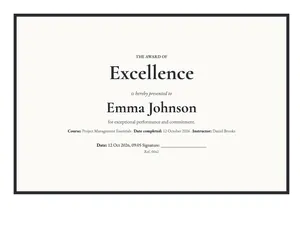
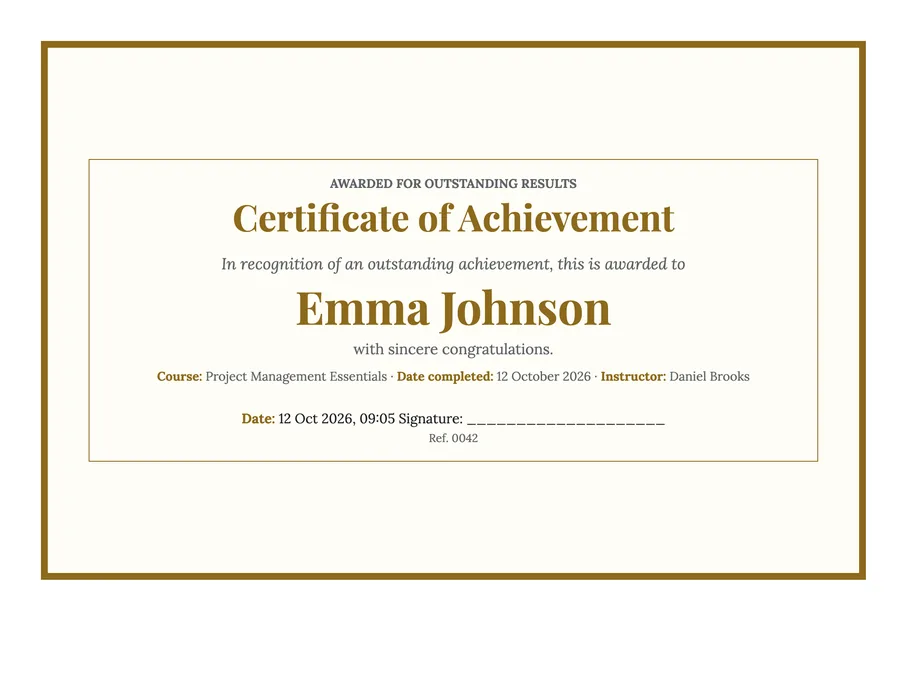
A cream page with a gold-brown frame, a thin inner line and the words 'In recognition of an outstanding achievement, this is awarded to' above the recipient's name. Below the name sit the achievement and any extra answers, then the date, a line for a signature and a reference number.
Set it up in three steps
- Install the add-on. Add FairSign Forms to PDF to Google Forms from the Google Workspace Marketplace. It is free to install.
- Pick this template. Open your form, click the puzzle-piece icon (or the three-dot menu, then Add-ons), and open FairSign Forms to PDF. In step 1, choose Certificate of Achievement from the template library. It opens as a Google Doc in your Drive.
- Turn on sending. Tell the add-on which question holds the email address, send a test to yourself, then switch on automatic sending. Each new response is turned into a PDF and emailed to the person.
Tips for the Certificate of Achievement
- Decide who the form is for. A form filled in by the winner is easy, but a form filled in by the organiser lets you control exactly what is printed.
- Keep the achievement line short. Long sentences wrap and push the signature line down the page.
- Do a test run with the longest name and title you expect, then adjust the font size in the Doc if it gets close to the frame.
Questions people ask
Can I use it for a sports club?
Yes. Ask for the event, position and date, and use the achievement line for the result. Print on US Letter or A4.
Will the colour change if I print in black and white?
The gold turns to grey, and the layout still reads clearly. You can recolour the frame in the Google Doc first if you prefer.
Can I edit the Certificate of Achievement before I use it?
Yes. Choosing it in the add-on creates a Google Doc in your Drive. Change the wording, fonts or colours, add a logo, and keep the {{placeholders}} in double braces where answers should appear.