When to use the Booking Confirmation
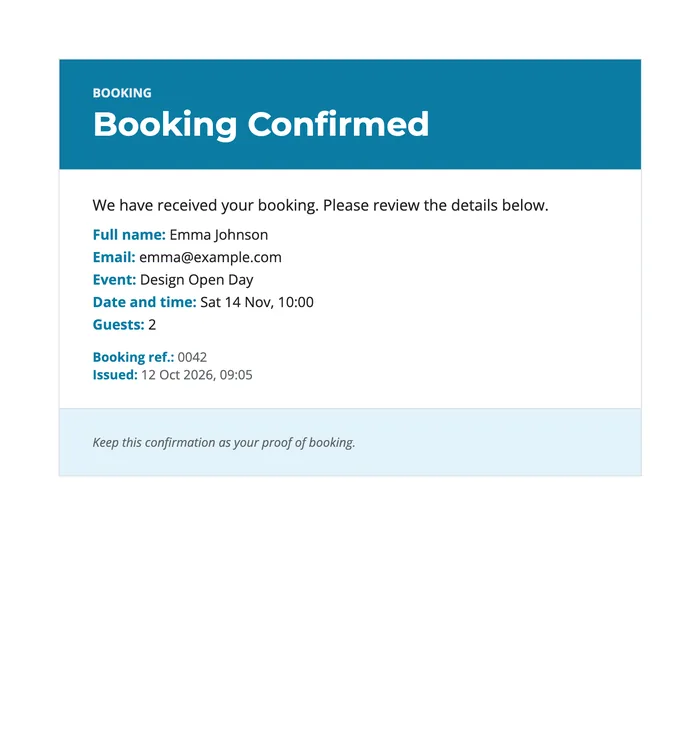
A booking confirmation is the record a customer keeps after reserving something: a room, a boat trip, a hired projector, a cabin for the weekend. Hosts, small tour operators, equipment hire shops and studio owners use one so the details are on paper if there is a mix-up. The sky-blue banner says 'Booking Confirmed' and the footer calls it the customer's proof of booking.
Questions to ask in your form
Create these questions in your Google Form. The PDF is built from the questions you ask, so rename, add or drop any of them.
- Full name Short answerFirst row.
- Email address Short answerWhere the confirmation is sent.
- What are you booking? DropdownFor example 'Meeting room A' or 'City walking tour'.
- Start date and time Short answerOr use separate Date and Time questions.
- Number of people Short answerA number.
- Special requests ParagraphOptional.
What the PDF contains
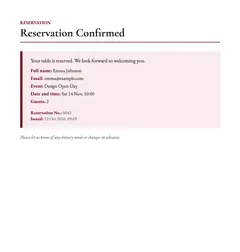
A sky-blue banner with the label 'Booking' and the title 'Booking Confirmed'. Under it: 'We have received your booking. Please review the details below.' Every answer is a label and value line, followed by a booking reference and an issue time. A pale strip at the bottom says to keep the confirmation as proof of booking.
Set it up in three steps
- Install the add-on. Add FairSign Forms to PDF to Google Forms from the Google Workspace Marketplace. It is free to install.
- Pick this template. Open your form, click the puzzle-piece icon (or the three-dot menu, then Add-ons), and open FairSign Forms to PDF. In step 1, choose Booking Confirmation from the template library. It opens as a Google Doc in your Drive.
- Turn on sending. Tell the add-on which question holds the email address, send a test to yourself, then switch on automatic sending. Each new response is turned into a PDF and emailed to the person.
Tips for the Booking Confirmation
- 'We have received your booking' is not the same as 'approved'. If you review each request, send the form only after you have said yes, or change the wording in the Doc.
- Include check-in and check-out times in the form description, as many disputes come from unclear times.
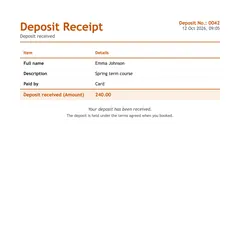
- If a deposit is taken, send a Deposit Receipt as well. The two documents do different jobs.
Questions people ask
Does the form stop double bookings?
No. Google Forms does not check availability. Offer only free slots, or review each request before confirming.
Can I use it for tours?
Yes. Ask for the tour name, the date and the group size, and add your meeting point to the Doc.
Can I edit the Booking Confirmation before I use it?
Yes. Choosing it in the add-on creates a Google Doc in your Drive. Change the wording, fonts or colours, add a logo, and keep the {{placeholders}} in double braces where answers should appear.