When to use the Certificate of Completion
A certificate of completion tells someone they finished a course, a training or a programme. Teachers and tutors hand them out at the end of a term. Online course creators send one when a learner passes the last module. Companies use them for compliance and onboarding courses, where a printed copy goes into the staff file. If the people you teach already fill in a Google Form at the end, this template turns that form into the certificate.
Questions to ask in your form
Create these questions in your Google Form. The PDF is built from the questions you ask, so rename, add or drop any of them.
- Full name Short answerThe first question becomes the large name line.
- Email address Short answerWhere the PDF is sent. Or switch on collecting email addresses in the form.
- Course or programme title DropdownA dropdown keeps the wording identical on every certificate.
- Date completed DateUseful when this differs from the day the form is sent.
- Instructor Short answerOptional. Blank answers are left off the page.
- Hours of study Short answerOptional, handy for professional development records.
What the PDF contains
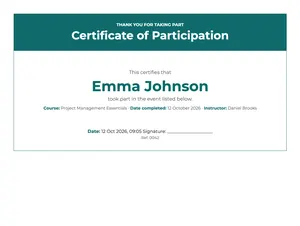
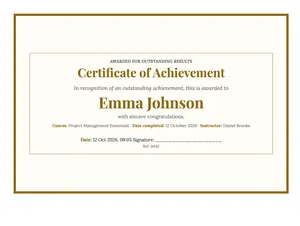
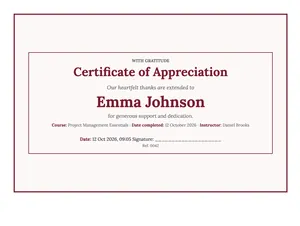
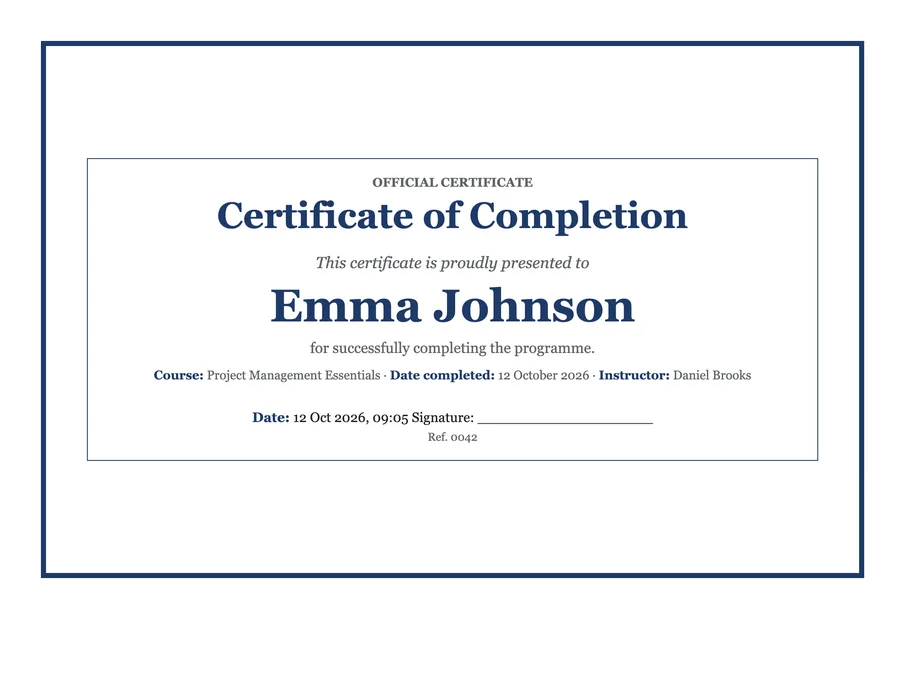
A framed page with a small heading, the line 'This certificate is proudly presented to', the person's name in large type, and the course below it. Extra answers sit in a neat row of labels and values. At the bottom are the submission date, a signature line and a reference number.
Set it up in three steps
- Install the add-on. Add FairSign Forms to PDF to Google Forms from the Google Workspace Marketplace. It is free to install.
- Pick this template. Open your form, click the puzzle-piece icon (or the three-dot menu, then Add-ons), and open FairSign Forms to PDF. In step 1, choose Certificate of Completion from the template library. It opens as a Google Doc in your Drive.
- Turn on sending. Tell the add-on which question holds the email address, send a test to yourself, then switch on automatic sending. Each new response is turned into a PDF and emailed to the person.
Tips for the Certificate of Completion
- Put a check in front of the certificate. Add a short quiz or a 'I completed every module' checkbox, so only people who finished fill in the form.
- Ask for the name exactly as it should be printed, and say so in the question description. Fixing a misspelt name after the PDF has been sent means sending it again.
- Open the Google Doc once and add your logo and the name of the person who signs. Every later certificate keeps that change.
Questions people ask
Can I change the wording of the certificate?
Yes. The template is a normal Google Doc. Edit the heading, the sentence under it or the colours, and keep the {{placeholders}} in double braces where answers should appear.
Is the signature line a digital signature?
No. It is a printed line for a pen. If the certificate needs a real signature, print it and sign it, or paste an image of the signature into the Google Doc.
Can I edit the Certificate of Completion before I use it?
Yes. Choosing it in the add-on creates a Google Doc in your Drive. Change the wording, fonts or colours, add a logo, and keep the {{placeholders}} in double braces where answers should appear.