When to use the Exam Registration
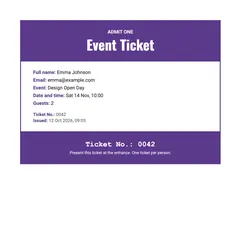
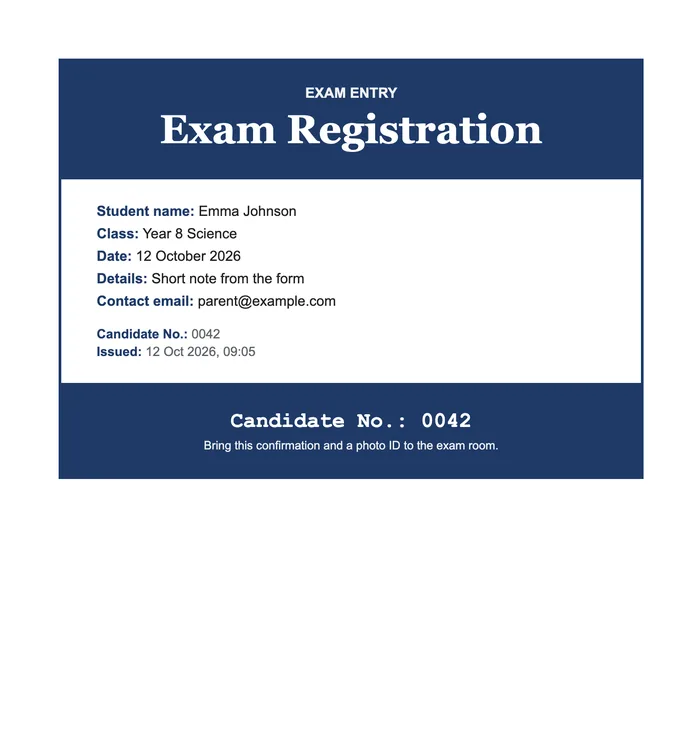
An exam registration confirmation tells a candidate they have a place and shows their number. Schools, language centres, music examiners and professional training bodies use it. The navy page looks like an entry slip: details in the middle and a bar at the bottom with the candidate number and a reminder to bring identification. A form works well for registration, and the PDF doubles as the slip candidates take on the day.
Questions to ask in your form
Create these questions in your Google Form. The PDF is built from the questions you ask, so rename, add or drop any of them.
- Candidate name Short answerFirst row. Ask for the name as it appears on their ID.
- Email address Short answerWhere the confirmation is sent.
- Exam DropdownOne option per paper.
- Date and time DropdownList the sittings.
- Special arrangements ParagraphOptional, such as extra time.
- Centre or room DropdownOptional.
What the PDF contains
A navy banner with the label 'Exam entry' and the title 'Exam Registration'. A white panel lists each answer with an issue time, and a deep navy bar at the bottom shows the candidate number in a typewriter face with 'Bring this confirmation and a photo ID to the exam room.'
Set it up in three steps
- Install the add-on. Add FairSign Forms to PDF to Google Forms from the Google Workspace Marketplace. It is free to install.
- Pick this template. Open your form, click the puzzle-piece icon (or the three-dot menu, then Add-ons), and open FairSign Forms to PDF. In step 1, choose Exam Registration from the template library. It opens as a Google Doc in your Drive.
- Turn on sending. Tell the add-on which question holds the email address, send a test to yourself, then switch on automatic sending. Each new response is turned into a PDF and emailed to the person.
Tips for the Exam Registration
- The candidate number is a reference from this form. If an exam board issues its own numbers, ask for that number as a question.
- Check names against the ID rules of the exam. A mismatch on the day causes more trouble than any other detail.
- Close registration with a date, and tell candidates what happens if they miss it.
- Print a few copies of the confirmation for the exam room, in case a candidate arrives without a phone or a printout.
Questions people ask
Is this an official exam entry?
It is as official as the organisation that sends it. FairSign provides the layout.
Can it include a seat number?
Yes, if you add a Seat question, or write seat numbers into the Doc.
Can I edit the Exam Registration before I use it?
Yes. Choosing it in the add-on creates a Google Doc in your Drive. Change the wording, fonts or colours, add a logo, and keep the {{placeholders}} in double braces where answers should appear.