When to use the Feedback Report
A feedback report prints a person's feedback on one page, with space for notes and next steps. Cafes, trainers, team leads, event organisers and clinics use it to collect comments after a service or a meeting. Because each response becomes a PDF, you can share a single comment with a colleague or file it with a project. The blue rule under the heading and the plain list suit both customer and internal feedback.
Questions to ask in your form
Create these questions in your Google Form. The PDF is built from the questions you ask, so rename, add or drop any of them.
- Overall rating Linear scaleOne to five.
- What worked well ParagraphPositive first, so people start warm.
- What could be better ParagraphSpecific suggestions.
- Would you recommend us? Multiple choiceYes, maybe, no.
- Your email Short answerOptional. Needed if you want to send the copy back.
- Date of visit DateOptional.
What the PDF contains
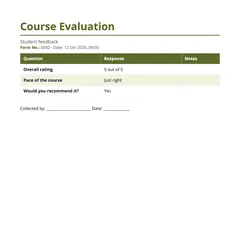
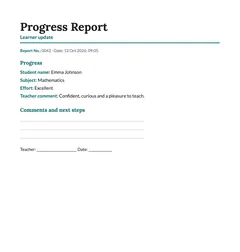
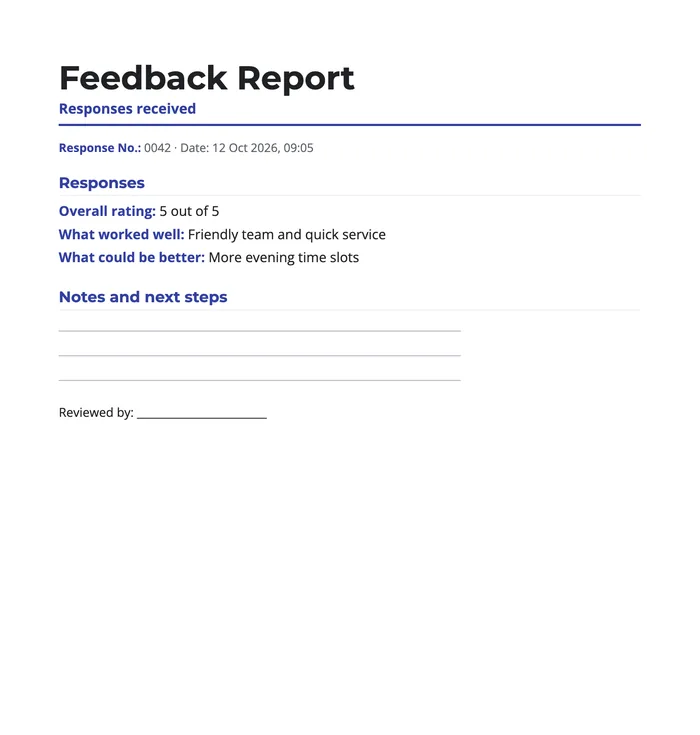
A page headed 'Feedback Report' with 'Responses received' and a response number with the submission date. Under 'Responses', each answer is a label and value line. Under 'Notes and next steps' are blank ruled lines for your own comments, and 'Reviewed by' has a blank line.
Set it up in three steps
- Install the add-on. Add FairSign Forms to PDF to Google Forms from the Google Workspace Marketplace. It is free to install.
- Pick this template. Open your form, click the puzzle-piece icon (or the three-dot menu, then Add-ons), and open FairSign Forms to PDF. In step 1, choose Feedback Report from the template library. It opens as a Google Doc in your Drive.
- Turn on sending. Tell the add-on which question holds the email address, send a test to yourself, then switch on automatic sending. Each new response is turned into a PDF and emailed to the person.
Tips for the Feedback Report
- Decide in advance whether the form is anonymous. If it is, do not collect an email, and the PDF has nowhere to go.
- If you want the person to get a copy, ask for an email and mention in the form description that they will receive one.
- Use the blank 'Notes and next steps' lines. A comment with an action beside it is far more likely to be dealt with.
- Send the form link in a thank-you message straight after the visit or the meeting. People answer more honestly when the experience is still fresh.
Note. This template is not legal or HR advice. Employment, safety and data protection rules differ by country. Check what applies to you.
Questions people ask
Can I keep feedback anonymous?
Yes, but then the PDF cannot be emailed to the respondent. Collect responses in the sheet instead.
Is a rating shown as stars?
No. The answer prints as the number the person chose.
Can I edit the Feedback Report before I use it?
Yes. Choosing it in the add-on creates a Google Doc in your Drive. Change the wording, fonts or colours, add a logo, and keep the {{placeholders}} in double braces where answers should appear.