When to use the Parent-Teacher Meeting
A parent-teacher meeting confirmation tells a family exactly when they are expected. Teachers, school offices and tutors use it at conference evenings, where each family picks a time. The form shows the slots, and the PDF lands in the parent's inbox with the student name, the class and the time. The plain page with a green block is calm and easy to print for the fridge.
Questions to ask in your form
Create these questions in your Google Form. The PDF is built from the questions you ask, so rename, add or drop any of them.
- Student name Short answerFirst row.
- Parent or guardian email Short answerWhere the confirmation is sent.
- Class DropdownTeacher or class name.
- Meeting slot DropdownFor example 'Tue 12 Nov, 16:10'.
- Phone number Short answerOptional, in case the slot has to move.
- Anything you would like to discuss ParagraphOptional. Helps the teacher prepare.
What the PDF contains
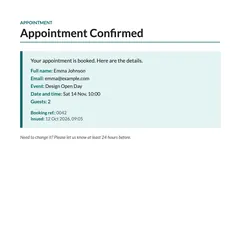
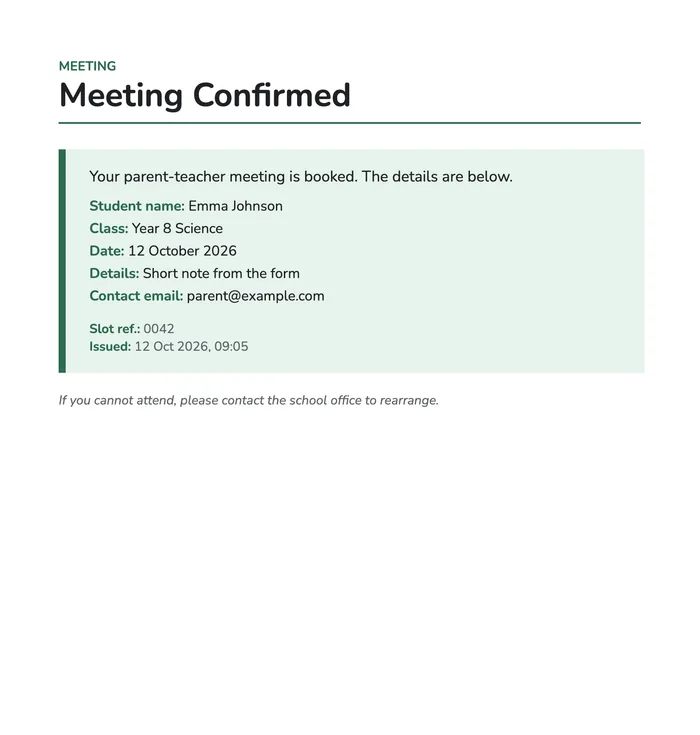
A page with the label 'Meeting' and the title 'Meeting Confirmed' above a rule. A pale green block says 'Your parent-teacher meeting is booked. The details are below.' and lists each answer, with a slot reference and an issue time. Under the block, 'If you cannot attend, please contact the school office to rearrange.'
Set it up in three steps
- Install the add-on. Add FairSign Forms to PDF to Google Forms from the Google Workspace Marketplace. It is free to install.
- Pick this template. Open your form, click the puzzle-piece icon (or the three-dot menu, then Add-ons), and open FairSign Forms to PDF. In step 1, choose Parent-Teacher Meeting from the template library. It opens as a Google Doc in your Drive.
- Turn on sending. Tell the add-on which question holds the email address, send a test to yourself, then switch on automatic sending. Each new response is turned into a PDF and emailed to the person.
Tips for the Parent-Teacher Meeting
- Google Forms does not remove a slot when it is chosen. Delete taken slots from the dropdown as you go, or use one form per time block.
- Put the room and the building in the Doc, so parents are not wandering the corridors.
- Say in the form description how long each meeting lasts. It keeps the evening on time.
- Keep the form open until a day or two before the evening, so late families can still book. Then close it so that nobody is left guessing.
Questions people ask
Can two parents book the same slot?
The form does not stop it. Remove booked slots, or check the response sheet for duplicates.
Does it send reminders?
No. It sends one PDF when the form is submitted.
Can I edit the Parent-Teacher Meeting before I use it?
Yes. Choosing it in the add-on creates a Google Doc in your Drive. Change the wording, fonts or colours, add a logo, and keep the {{placeholders}} in double braces where answers should appear.