When to use the Recommendation Request
A recommendation request gives a teacher everything they need to write a reference: what it is for, the deadline and a few things to mention. Students applying to universities, scholarships, jobs and exchange programmes use it. A form is polite and clear, and the PDF goes to the student and to the teacher. The plum heading and memo layout make it feel like a proper request and not a casual message.
Questions to ask in your form
Create these questions in your Google Form. The PDF is built from the questions you ask, so rename, add or drop any of them.
- Your name Short answerFirst row.
- Teacher email Short answerChoose it as the recipient to send the request to them.
- What is the reference for? Short answerFor example 'Scholarship to study design'.
- Deadline DateGive the teacher a few weeks if you can.
- Achievements to mention ParagraphTwo or three bullet-style points.
- Where to send it Short answerAn address or an upload link.
What the PDF contains
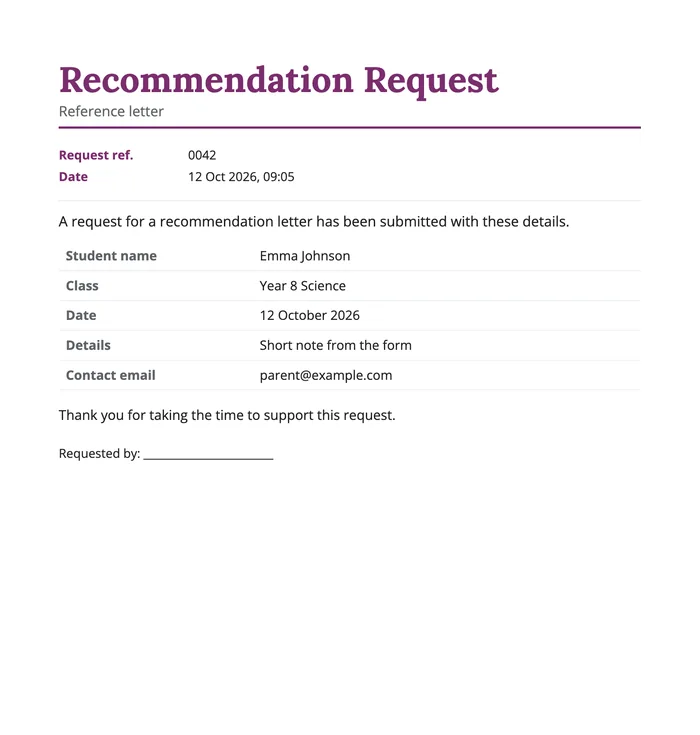
A page headed 'Recommendation Request' in plum with 'Reference letter' and a request reference with the date. The line 'A request for a recommendation letter has been submitted with these details.' leads into a plain list of answers. It closes 'Thank you for taking the time to support this request.' with a blank 'Requested by' line.
Set it up in three steps
- Install the add-on. Add FairSign Forms to PDF to Google Forms from the Google Workspace Marketplace. It is free to install.
- Pick this template. Open your form, click the puzzle-piece icon (or the three-dot menu, then Add-ons), and open FairSign Forms to PDF. In step 1, choose Recommendation Request from the template library. It opens as a Google Doc in your Drive.
- Turn on sending. Tell the add-on which question holds the email address, send a test to yourself, then switch on automatic sending. Each new response is turned into a PDF and emailed to the person.
Tips for the Recommendation Request
- Ask at least three weeks before the deadline. A reference written in a rush is rarely your best one.
- Give the teacher material: your grades, the courses you did together and what the course is. It makes a better letter.
- Choose the teacher's email as the recipient, and send yourself a copy with 'Also CC me'.
Questions people ask
Does it send the actual letter?
No. It sends the request. The teacher writes the letter.
Can I use it for job references?
Yes. Change the question text to match a former manager or a colleague.
Can I edit the Recommendation Request before I use it?
Yes. Choosing it in the add-on creates a Google Doc in your Drive. Change the wording, fonts or colours, add a logo, and keep the {{placeholders}} in double braces where answers should appear.